
Issue
When creating a new process or opening an existing one, the available Palette is not complete. Some actions are missing.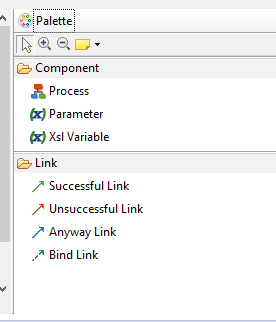
Cause
This issue may occur due to a caching problem within the Semarchy xDI environment, which can lead to incomplete loading of available actions in the Palette.
Solution
- Click on the Utilities tab located in the upper menu.
- Select Rebuild Cache and Clean Projects option.
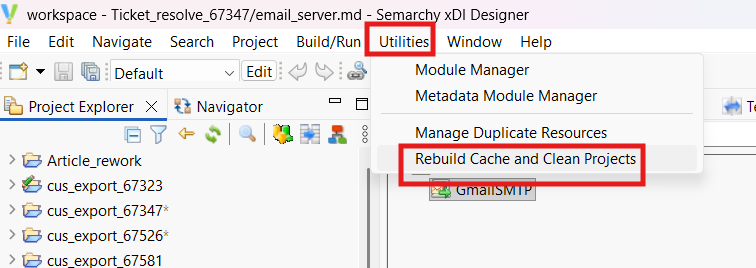
- After the cache has been rebuilt, close the process and then reopen it.