
Need
When a Web Application Firewall (WAF) is enabled in front of a Semarchy xDM environment, REST API calls that contain SQL‑like filter expressions may be blocked. This typically affects API parameters such as $f, $q, or $filter, which use comparison operators, string literals, wildcards, and logical operators.
These patterns can resemble SQL injection attacks and are therefore rejected by the WAF, even though they are legitimate Semarchy xDM API calls. A syntax adjustment is required so that API requests remain functional without weakening or disabling WAF security controls.
Summarized Solution
To prevent API calls from being rejected by the WAF:
- Avoid classic SQL literal patterns in filter parameters.
- Wrap literal values (strings, numbers, dates, booleans) inside parentheses.
- Explicitly group logical conditions using parentheses.
- Ensure all special characters are URL‑encoded.
These changes preserve the original filter logic while avoiding common WAF detection signatures.
Detailed Solution
1. Why WAF Blocks Semarchy xDM API Filters
Web Application Firewalls are designed to detect and block suspicious request patterns such as:
- Quoted string literals ('value')
- Wildcards (%)
- Inline comparisons (Field = 'X')
- Logical operators (AND, OR) without grouping
Since Semarchy xDM APIs legitimately use SQL‑like expressions in filters, these requests can be incorrectly classified as malicious.
2. String Datatype Filters
Standard Syntax (Often Blocked)
$f=FirstName%20LIKE%20%27Joe%25%27
Decoded: FirstName LIKE 'Joe%'
WAF‑Compliant Syntax
$f=FirstName%20LIKE(%27Joe%25%27)
Decoded: FirstName LIKE('Joe%')
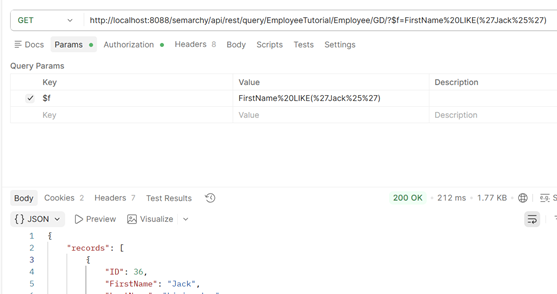
Explanation
Wrapping the string literal in parentheses reduces the likelihood that the WAF interprets the filter as a SQL injection attempt.
3. Numeric Datatype Filters
Standard Syntax
$f= Price%20%3E%20500
Decoded: Price > 500
WAF‑Compliant Syntax
$f=Price%20%3E%20(500)
Decoded: Price >(500)
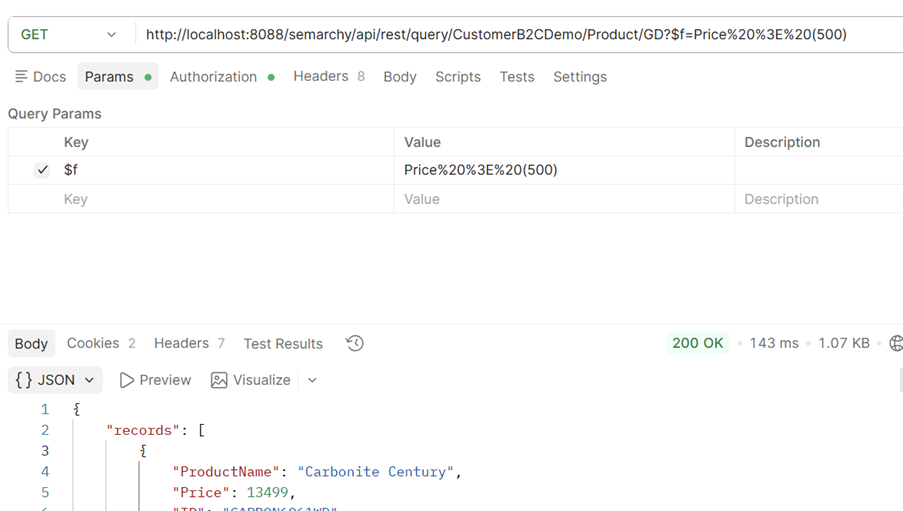
Recommendation
Even numeric literals should be enclosed in parentheses to ensure consistency and WAF compliance.
4. Date and Timestamp Datatypes
Standard Syntax
$f=HireDate%20%3E%20%272020-01-01%27
Decoded: HireDate > '2020-01-01'
WAF‑Compliant Syntax
$f=HireDate%20%3E(%272020-01-01%27)
Decoded: HireDate >('2020-01-01')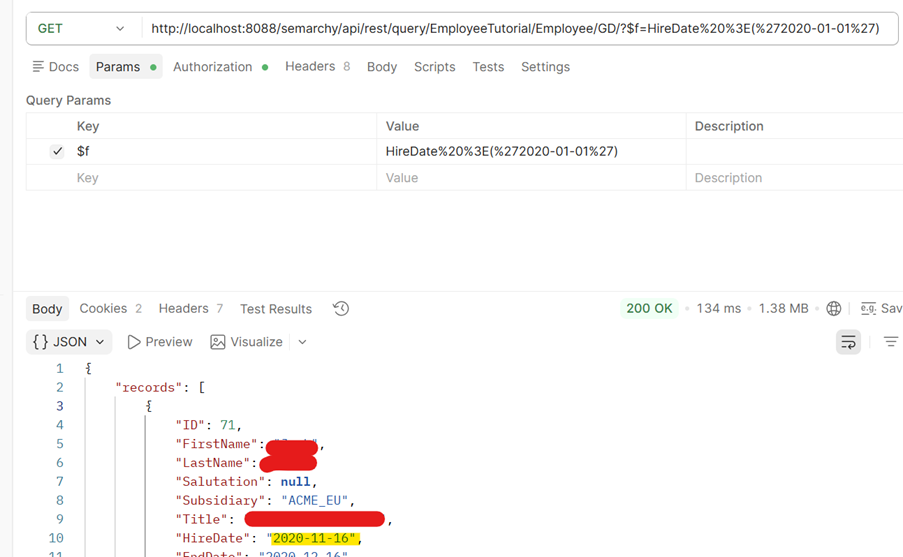
Best Practices
- Always quote date values.
- Always wrap quoted dates in parentheses.
- Use ISO‑8601 date formats.
5. Boolean Datatype Filters
Standard Syntax
$f= IsContractor%20=%20'true'
Decoded: IsContractor = ‘true’
WAF‑Compliant Syntax
$f= IsContractor%20=%20('true')
Decoded: IsContractor =(‘true’)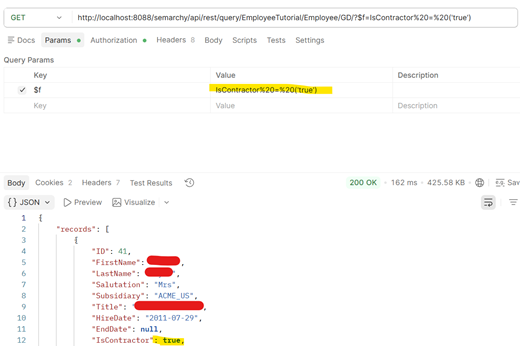
6. IN Clause (Multiple Values)
Standard Syntax
$f= FirstName%20IN(%27Jack%27%2C%20%27Sara%27)
Decoded: FirstName IN ('Jack', 'Sara')
WAF‑Compliant Syntax
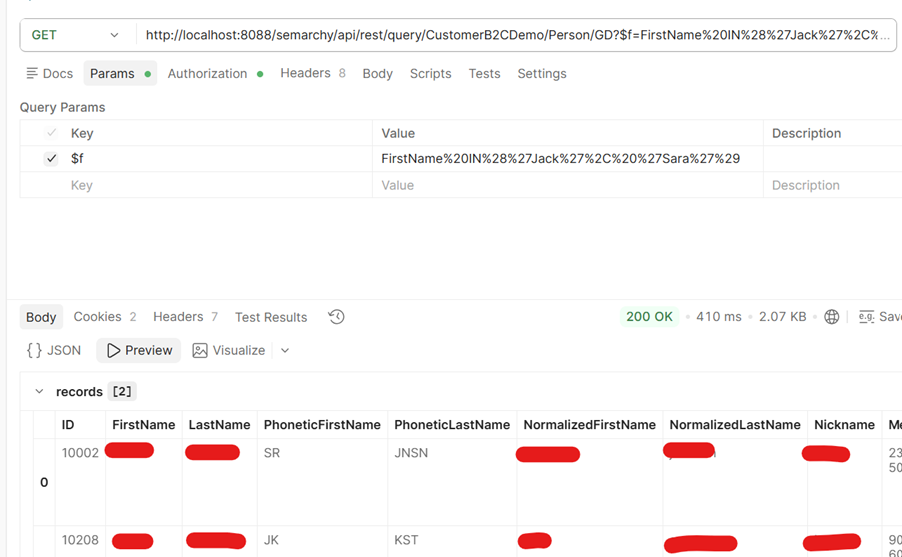
$f= FirstName%20IN%28%27Jack%27%2C%20%27Sara%27%29
Decoded: FirstName IN(('Jack','Sara'))
Explanation
Adding an additional level of parentheses prevents signature‑based detection of the IN (...) clause.
7. Equality Comparison for Strings
Standard Syntax
$f= FirstName%20=%20(%27Jack%27)
Decoded: FirstName = 'Jack'
WAF‑Compliant Syntax
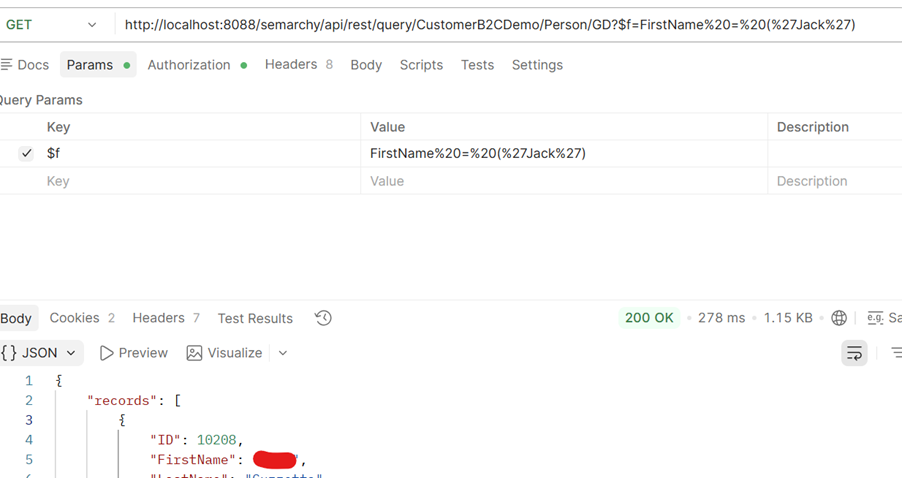
$f= FirstName%20=%20(%27Jack%27)
Decoded: FirstName = (‘Jack’)
8. Combined Conditions (AND / OR)
Standard Syntax
$f= FirstName%20=%20%27Jack%27%20AND%20 LastName%20=%20%27Guzzetta%27
Decoded: FirstName = 'Jack' AND LastName = 'Guzzetta'
WAF‑Compliant Syntax
$f FirstName%20=%20(%27Jack%27)%20AND%20 LastName%20=%20(%27Guzzetta%27)
Decoded: FirstName = ('Jack') AND LastName = ('Guzzetta')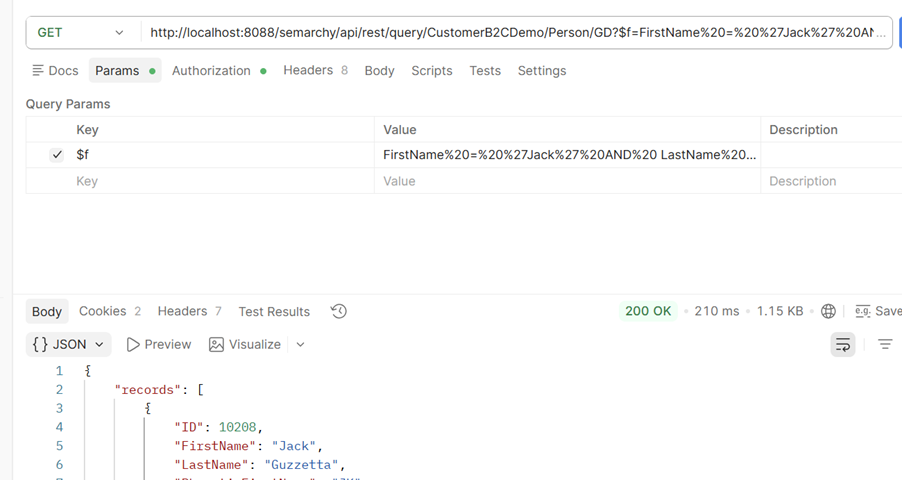
Rule
Each condition must be individually enclosed in parentheses to avoid WAF false positives.
9. General Recommendations
Always
- URL‑encode special characters (', %, (, )).
- Wrap literal values in parentheses.
- Explicitly group logical expressions.
Avoid
- Unwrapped string literals.
- Inline comparisons without grouping.
- Complex filters without parentheses.
10. Summary of WAF‑Safe Patterns
- String: Field LIKE('value%').
- Number: Field >(123).
- Date: Field =('YYYY-MM-DD').
- Boolean: Field =(true).
- IN clause: Field IN(('A','B')).