
Issue
When xDM connects to Snowflake (for data source testing or data location creation), Snowflake uses warehouse outbound IP addresses that can change.
If your Snowflake account enforces network policies (IP whitelisting), enforcing a single fixed IP may cause intermittent connection failures such as:
SnowflakeSQLException: Incoming request with IP/Token <ip_address> is not allowed to access Snowflake.
or
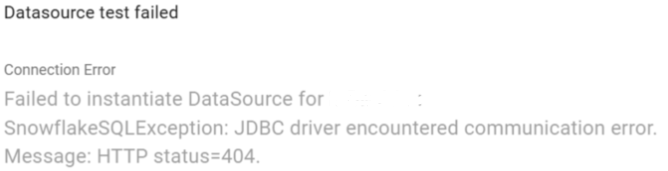
This can happen even after correctly whitelisting an IP, because:
- Each time the Snowflake warehouse restarted, the outbound IP address changed.
- The previously whitelisted IP was no longer valid.
Cause
Snowflake does not guarantee stable outbound IP addresses for warehouse requests. This is a known Snowflake limitation.
So customers may need to whitelist IP ranges (CIDR blocks) instead of single static IPs to ensure reliable connectivity when:
- Creating or testing a data source.
- Creating or validating a data location.
Solution
Snowflake recommends either:- Whitelisting each new IP manually (not practical), or
- Whitelisting an entire IP range using a CIDR block, e.g.: 153.45.61.0/24
Here is an example on how to use a CIDR block to whitelist an IP range instead of a specific IP:
CREATE NETWORK POLICY allow_range
ALLOWED_IP_LIST = ('153.45.61.0/24');
ALTER ACCOUNT SET NETWORK_POLICY = allow_range;
This ensures connectivity even when warehouse IPs rotate.