Need
You need to transform each row from a SQL query result into an XML element, typically with a generic <row> identifier, and understand how to apply this in an MS-SQL mapping context to generate multi-row XML data.
Summarized Solution
To convert query results into XML format in MS-SQL, you can use the FOR XML RAW clause. This transforms each row into an XML element. When integrating this into a data mapping, you can apply this function to a target field. To ensure distinct rows are generated for specific data, a WHERE clause can be used within the expression.
Detailed Solution
Understanding RAW Mode
RAW mode in SQL Server's FOR XML clause transforms each row in your query's result set into an XML element. By default, this element has the generic identifier <row>. However, you can optionally provide a custom element name.
Instructions to Use RAW Mode in an MS-SQL Field
Let's consider a scenario where you're populating an MS-SQL target table, and one of its fields (e.g., XMLDATA) is designed to store XML output from a source table.
Map the Target Field: In your data mapping , map the XMLDATA field in your target table.
Provide the Expression for XML RAW Function: For the XMLDATA field, you'll provide an expression that includes the
FOR XML RAWfunction.Example Scenario: Imagine your source table is
DIM_BEDROOM. If you want to perform the XML RAW function on the same table and get data in multiple rows, you would typically define aWHEREclause based on a distinct identifier from that table, such asDIM_BEDROOM.BDR_ID.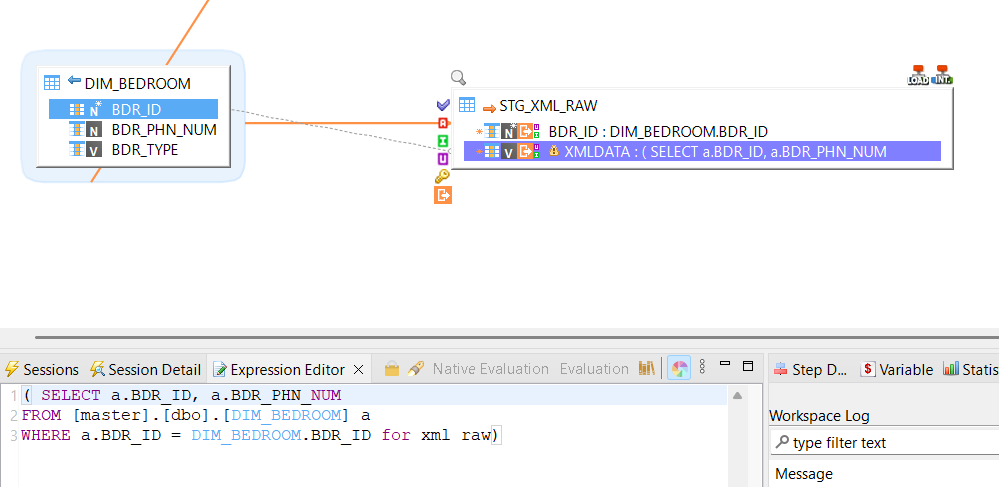
Specify the
WHEREClause for Row-Level XML:Note: If you want the entire content from your source table to be broken down into multiple XML rows (one XML snippet per source row), you need to specify a
WHEREclause within your expression or SQL query. TheWHEREclause will define the content for each distinct XML row.Example result SQL Snippet after using WHERE clause in mapping expression editor:
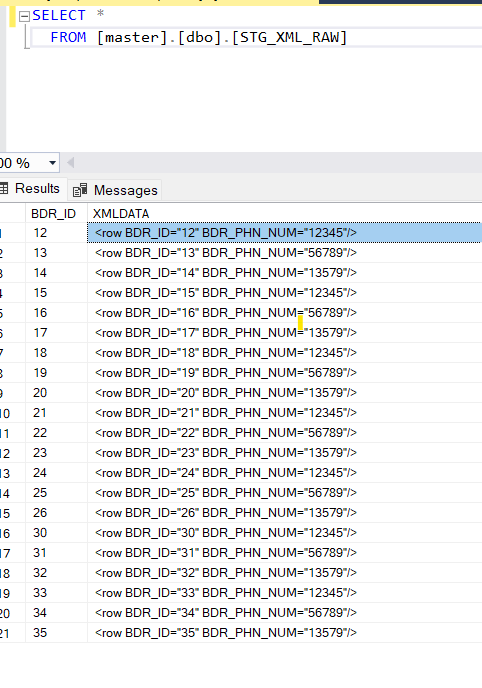
Why the WHERE Clause is Important:
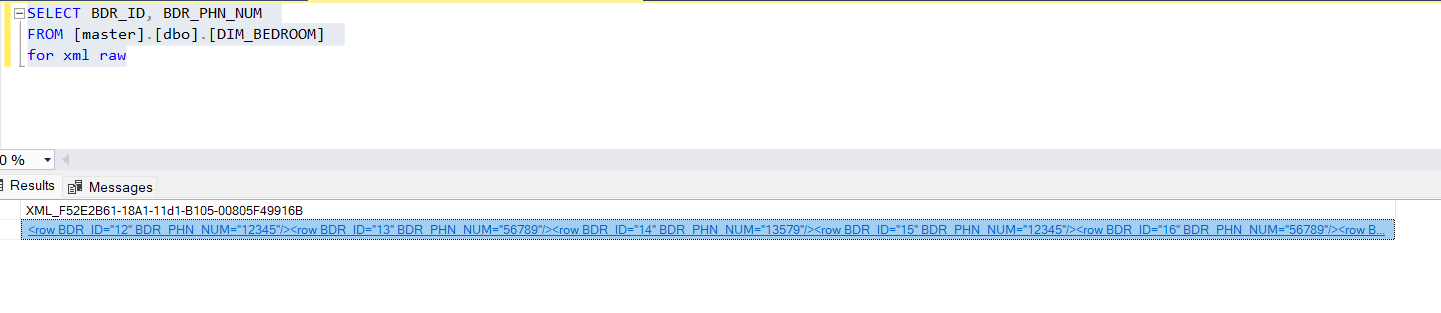
The WHERE clause ensures that the FOR XML RAW feature converts data from the source into an XML format, with a specific row defined for each XML output. If you do not use a WHERE clause that limits the result set to a single source row per XML generation, then all content from the source (or the query result) will be populated into a single XML field.
Example: XML RAW without WHERE clause (conceptual output for a single row):