Need
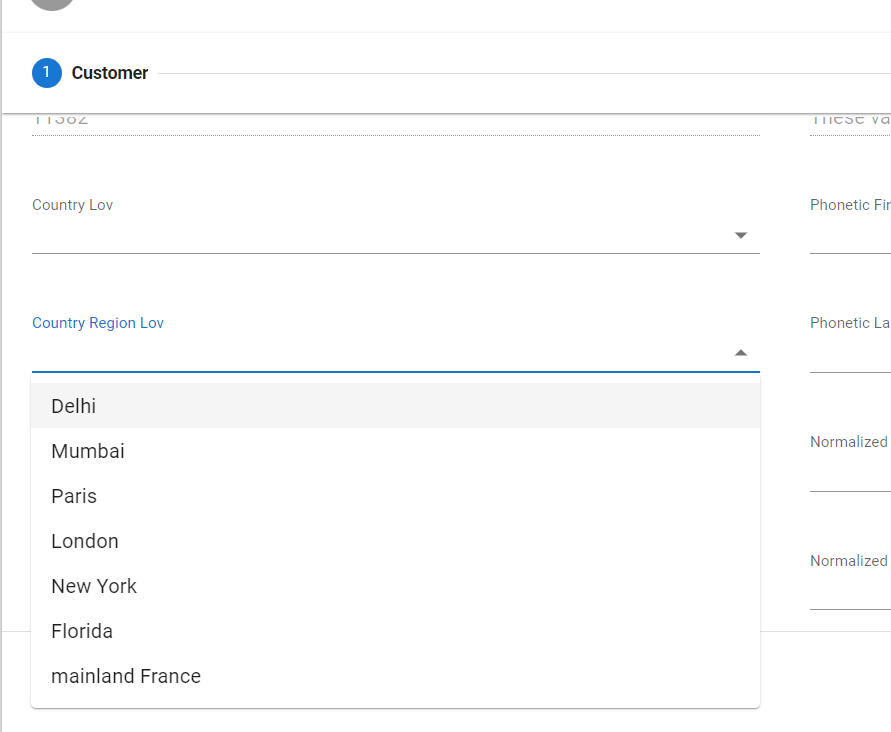
During authoring, it may happen that at the beginning of the process, the user selects a value from a LOV and then would like all next LOVs to reflect this choice, by filtering the data according to this first choice.
Summarized Solution
As here the scope is regarding strict list of values (and not references), it is not possible to apply such a logic natively.
So the following solution will need to rely on custom implementations.
We will describe a simple use case to provide a few guidelines on how to achieve this requirement.
Detailed Solution
Country LOV
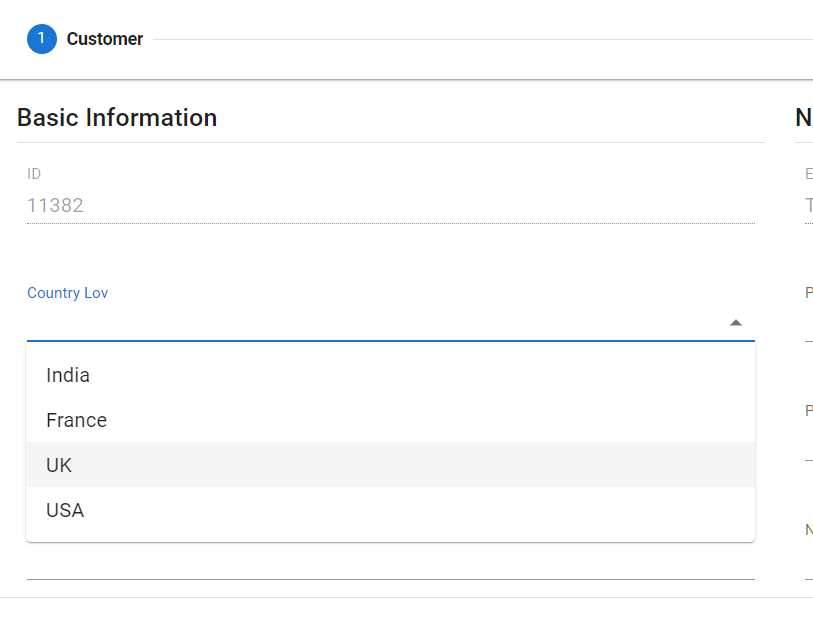
Region LOV
Step-by-step:
#1- DB custom functions
To meet the above requirement, we will have to create functions in the database.
As a reminder, in our case we are selecting regions on basis of countries and vice versa.
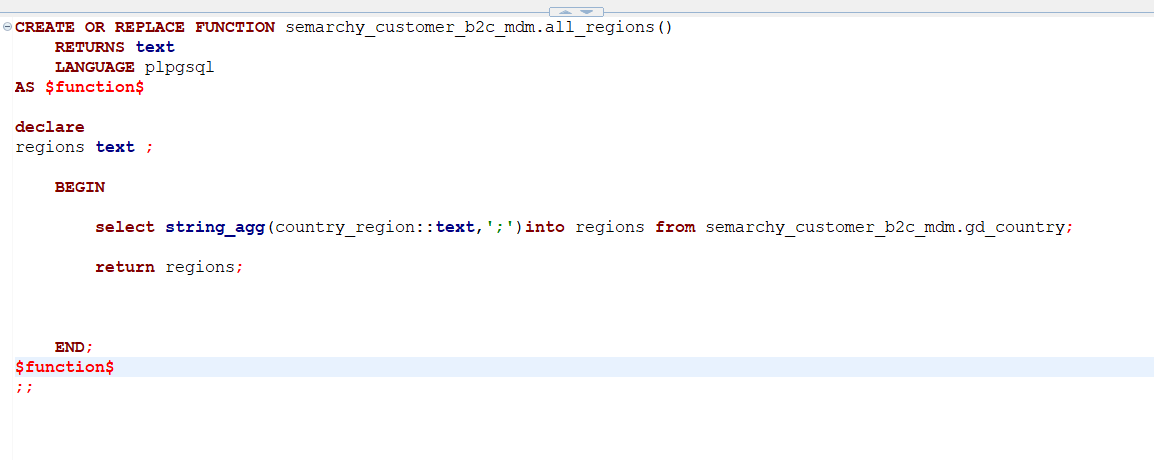
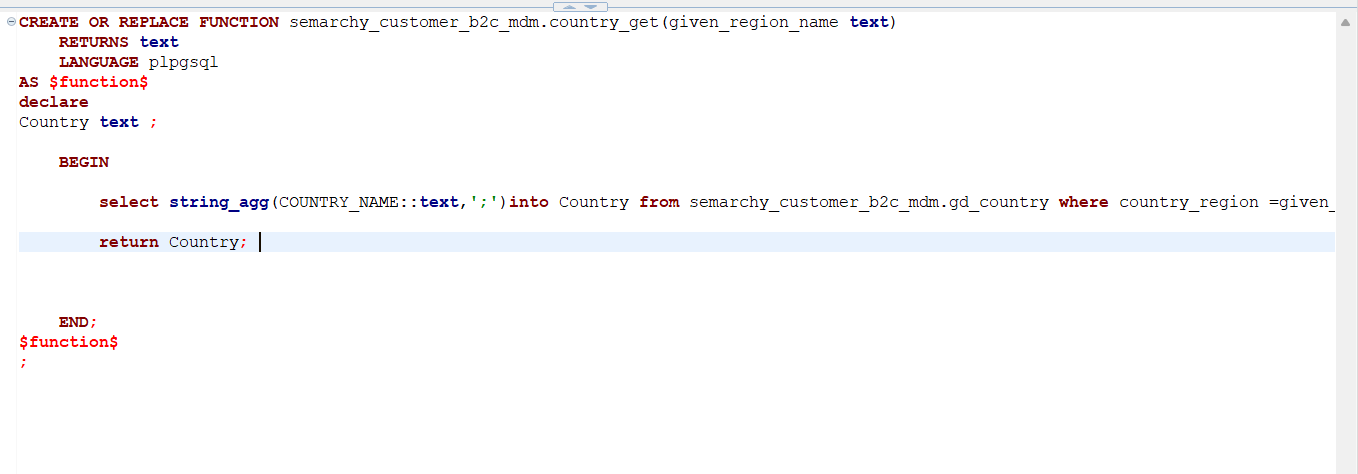
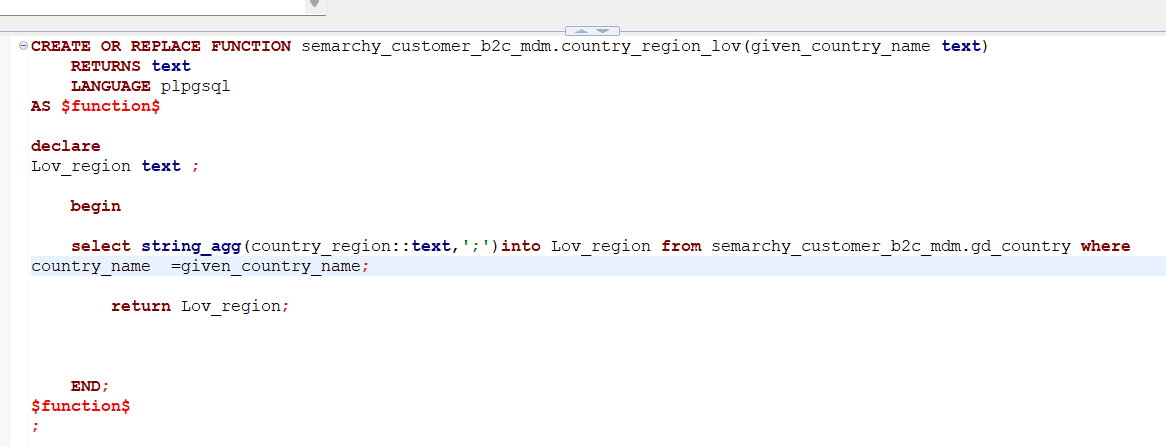
So to achieve this, we'll require below functions:
- Return all countries:
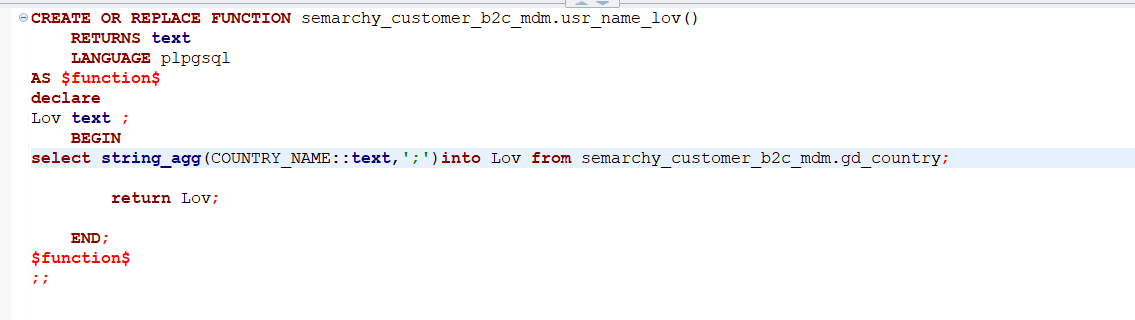
- Return all regions:
- Return countries based on regions:
- Return regions based on countries:
Note:
For Snowflake, the key is to make sure the functions ownership are transferred to the datasource username role:
If it’s in any other role, the user with accountadmin role can change the ownership by selecting the function and clicking on the Transfer Ownership option: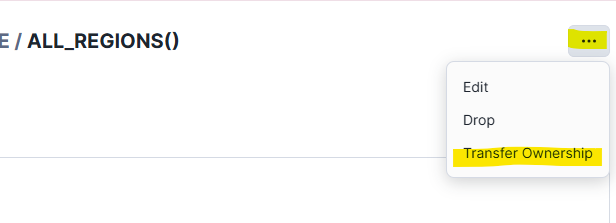
#2- App builder configuration
- Go to the app builder.
- Declare the DB functions previously created in the section "Database Functions":
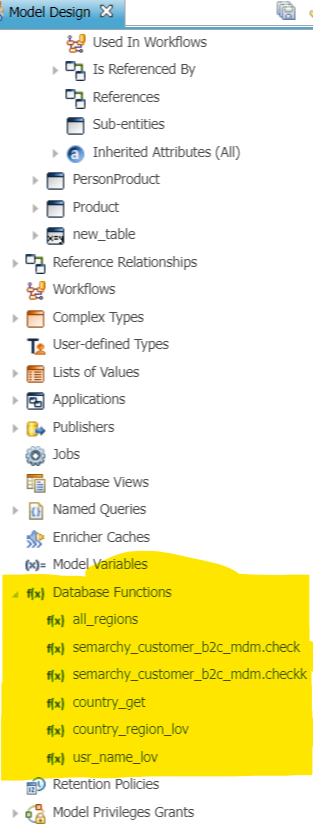
- Go to the Country entity:
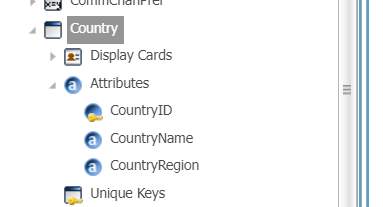
- Enter the form that is used for the authoring and browse to the field in question.
- Let's start with the Country LOV:
- Set the "Component Type" property to "Menu":
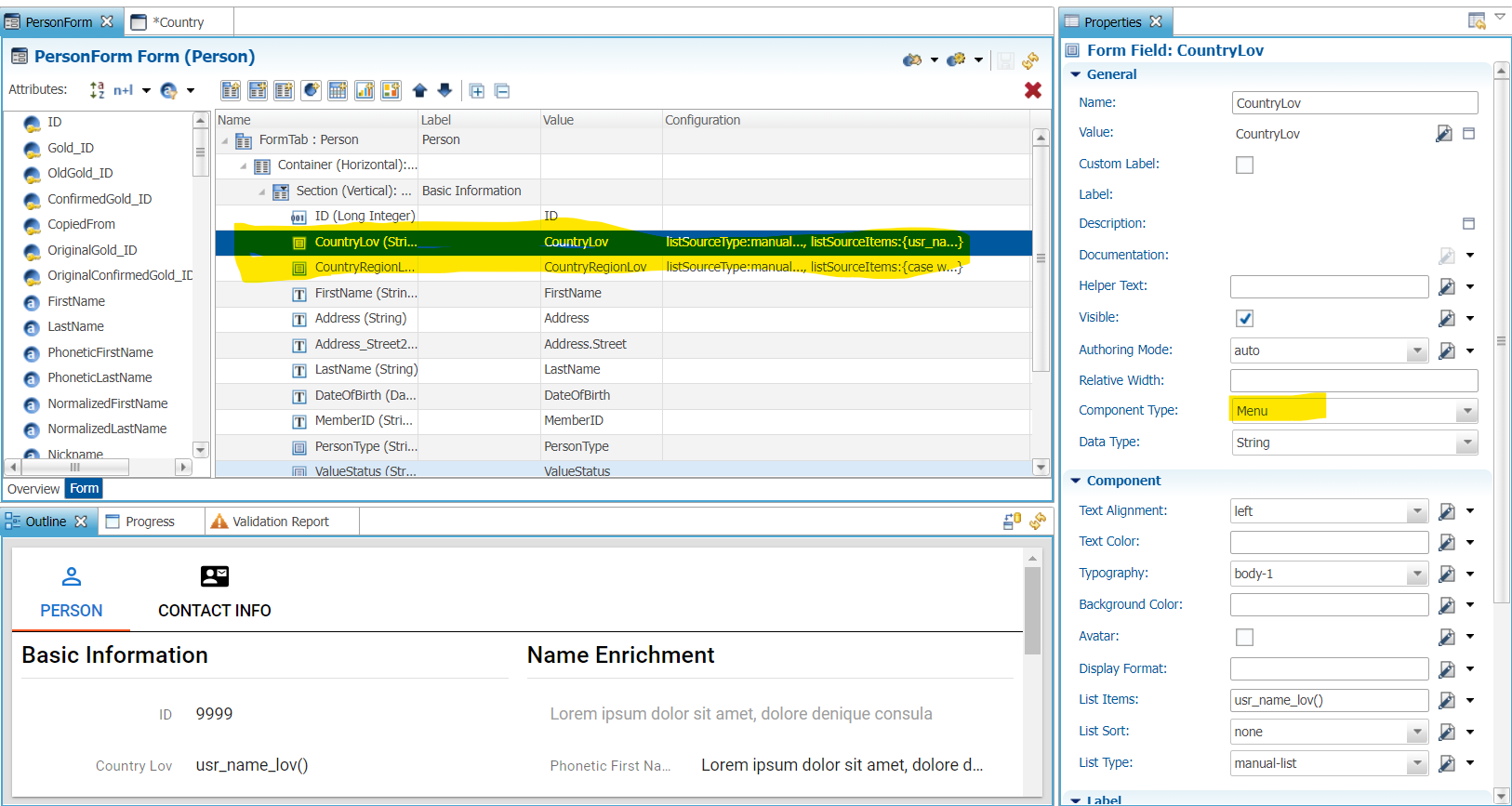
- Set the "List Type" property to "manual-list" and the "List Items" to the function created above (here "usr_name_list()"):
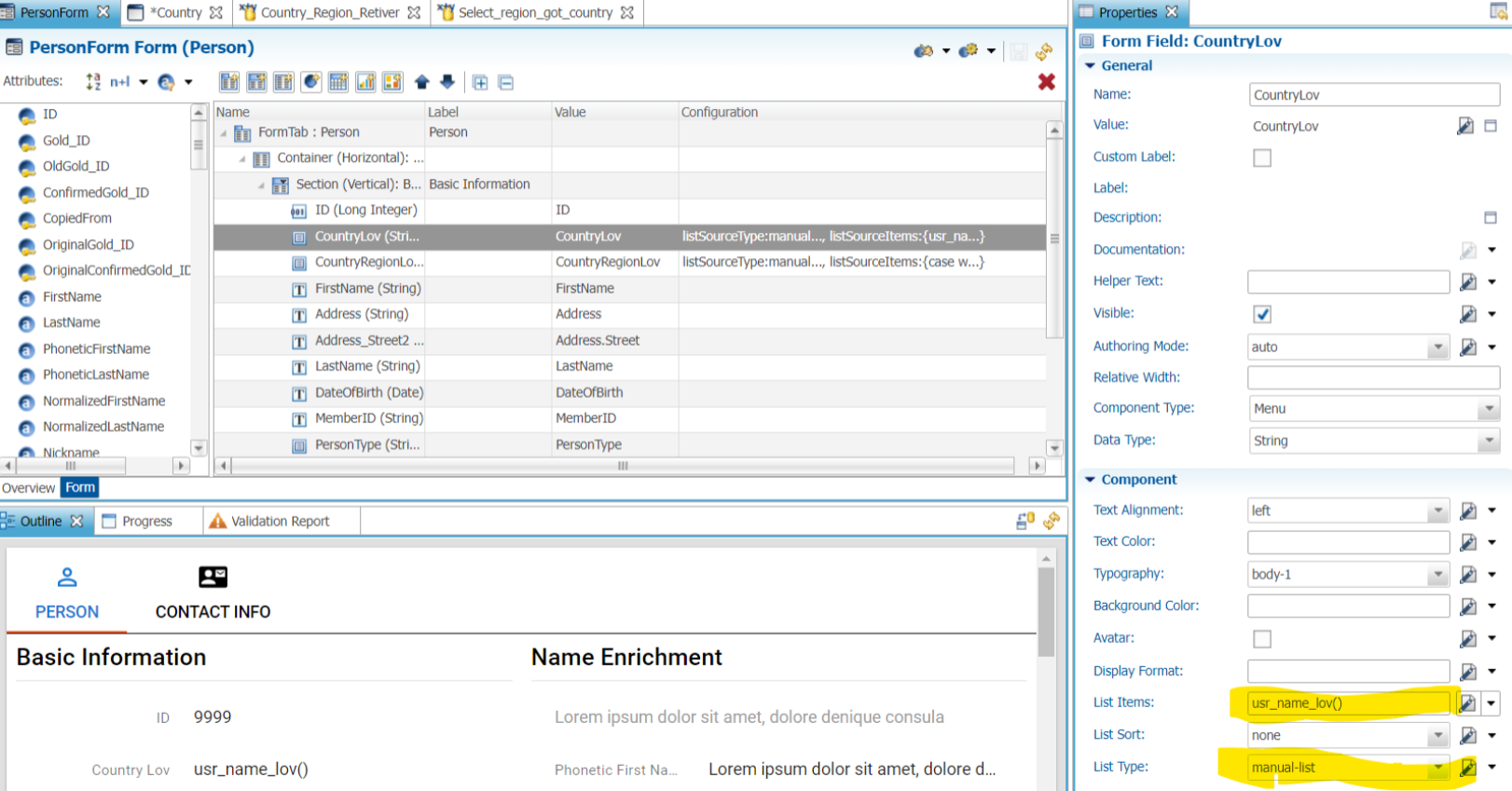
- Set the "Component Type" property to "Menu":
- Let's continue with the CountryRegion LOV. It is the same thing, set the "Component Type" property to "Menu", the "List Type" property to "manual-list" and the "List Items" as desired:
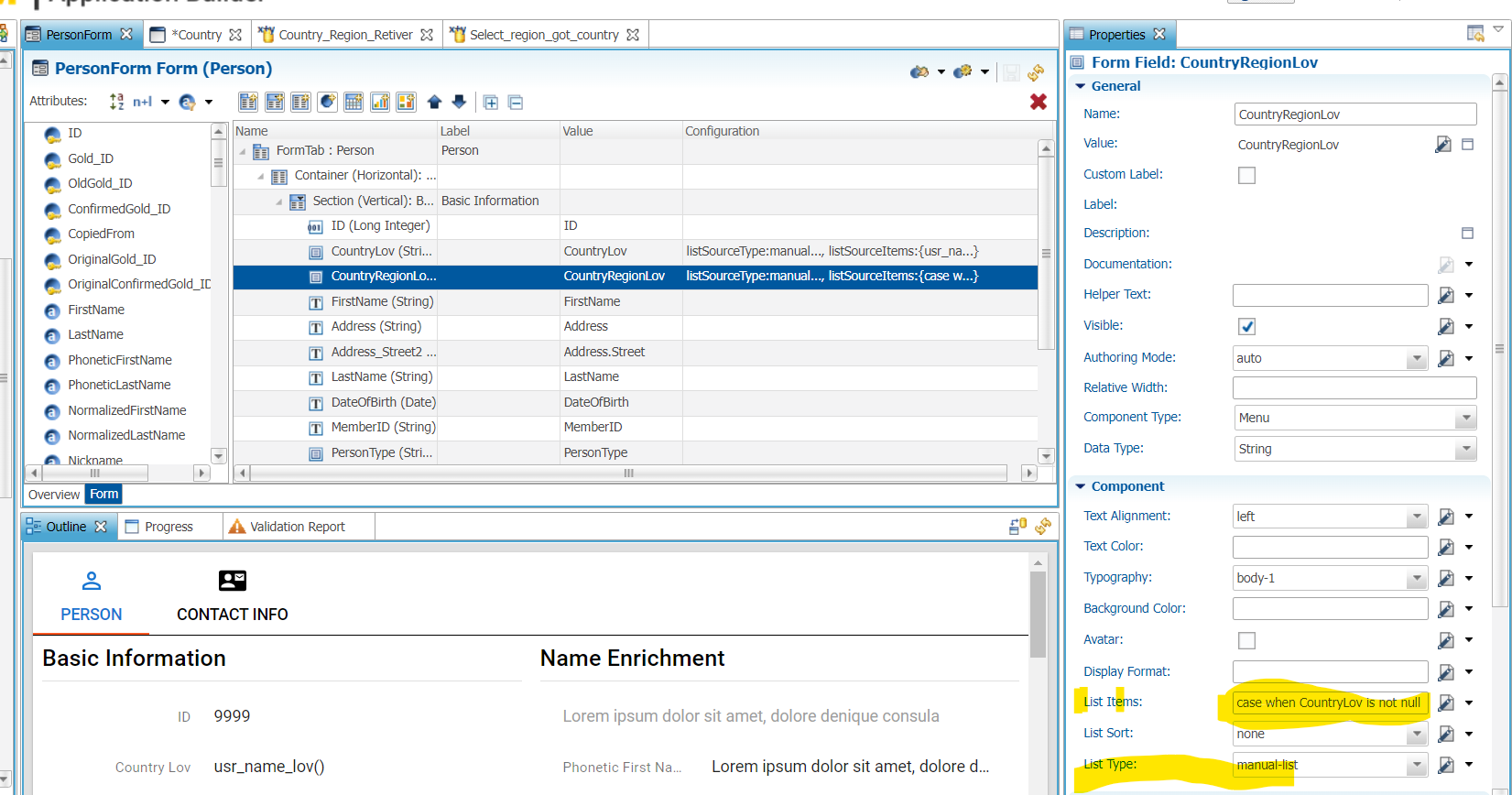
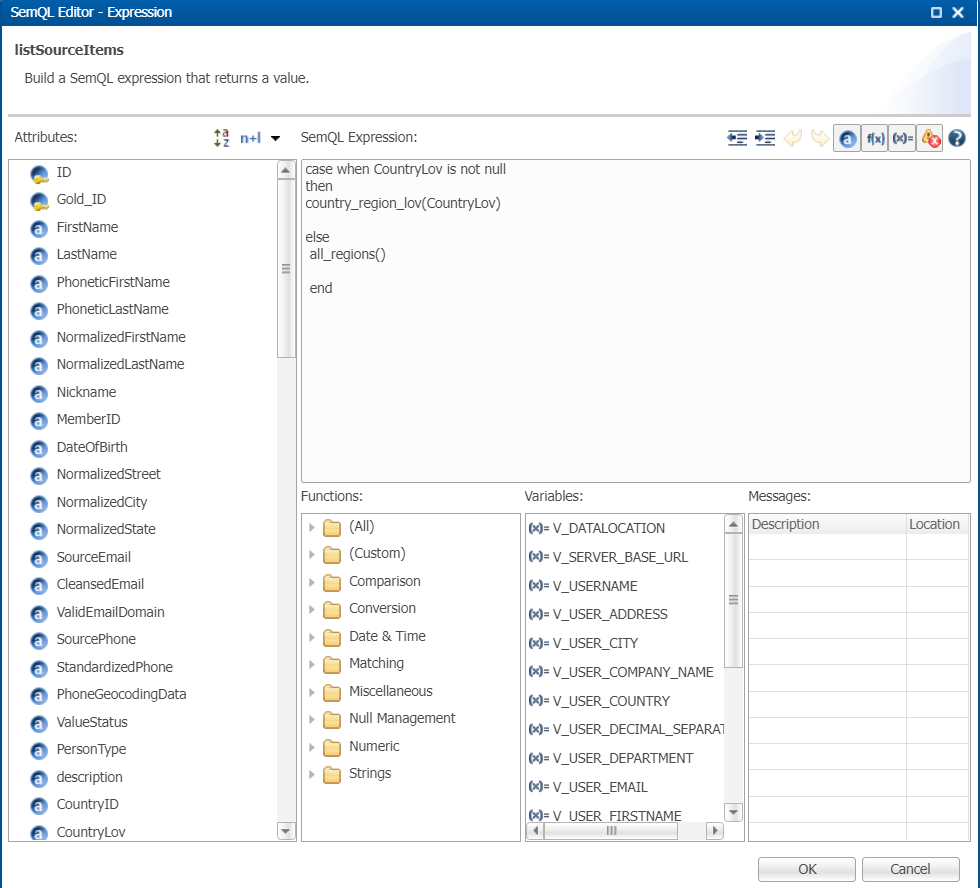
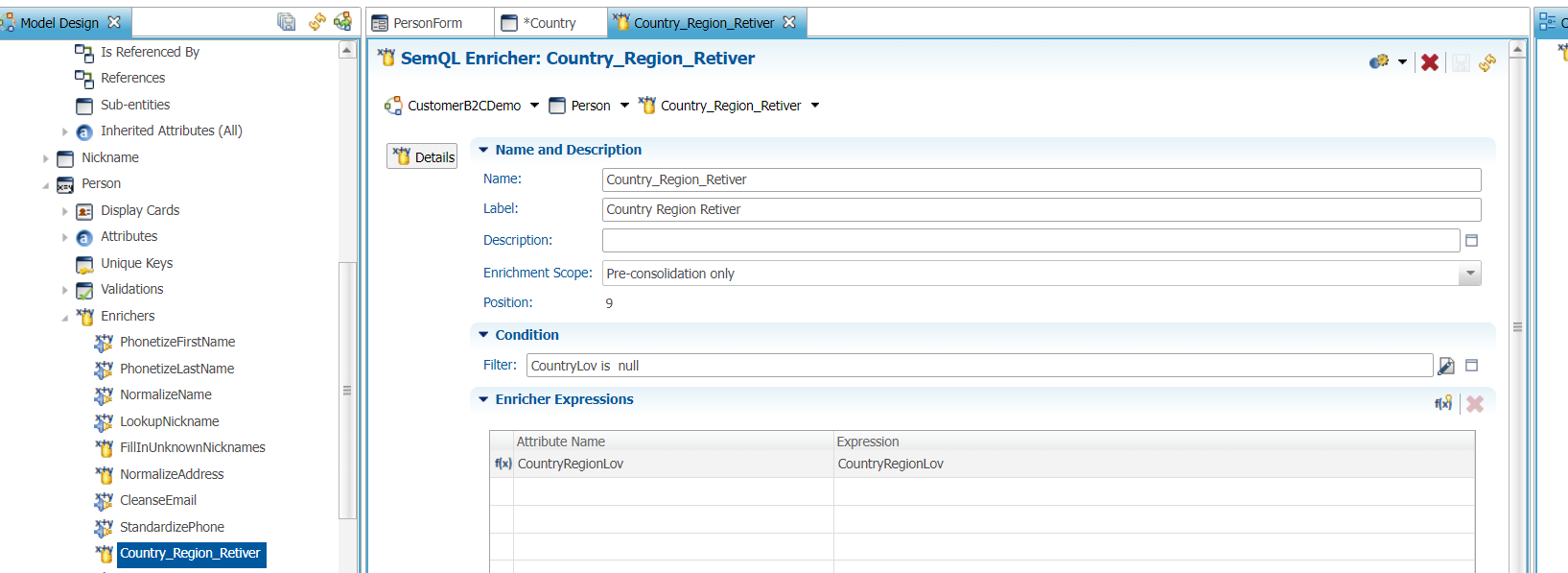
- To retrieve the complete list of CountryRegion values, create a new SemQL enricher as shown below (a filter is needed to only show the list of all regions only when no country is selected):
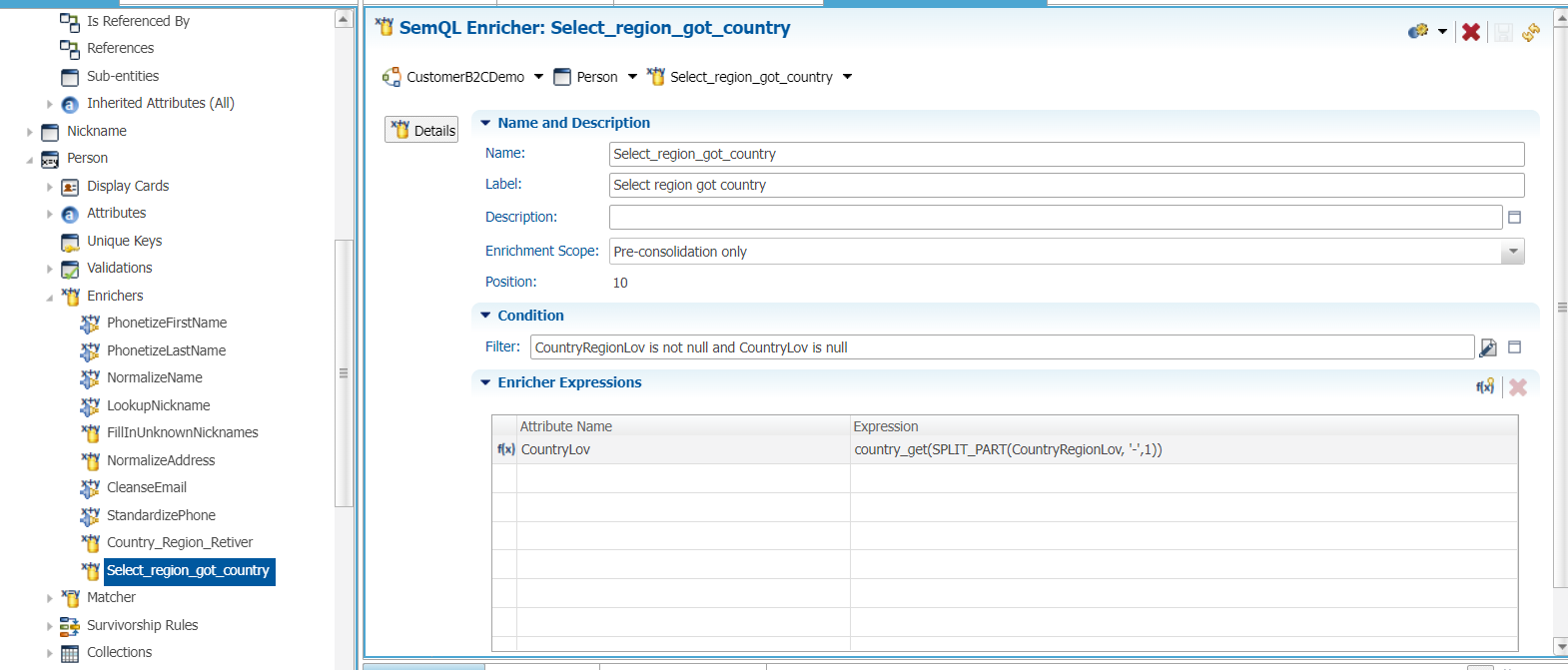
- To retrieve a Country value based on a selected CountryRegion value, create a new SemQL Enricher as shown below (a filter is also needed to only calculate the Country value when it is empty and a value for the region was already selected):
- Now we need to activate those enrichers for authoring. To do so, go to the stepper and set those 2 enrichers "On Data Change".
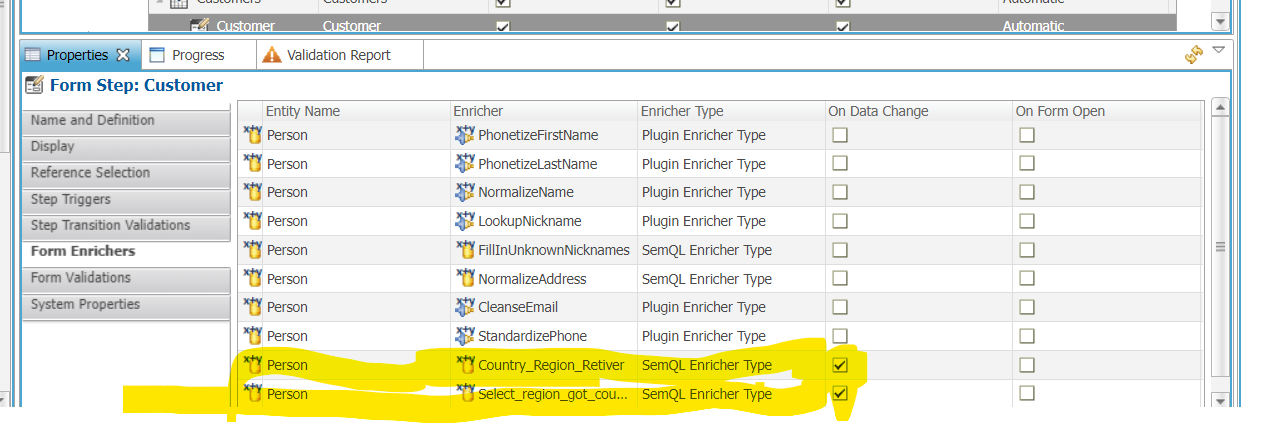
- Save all developments, validate the model and re-deploy it.
#3- UI results
Now let's test our developments.
- In the UI, create a new person, select the Country France:
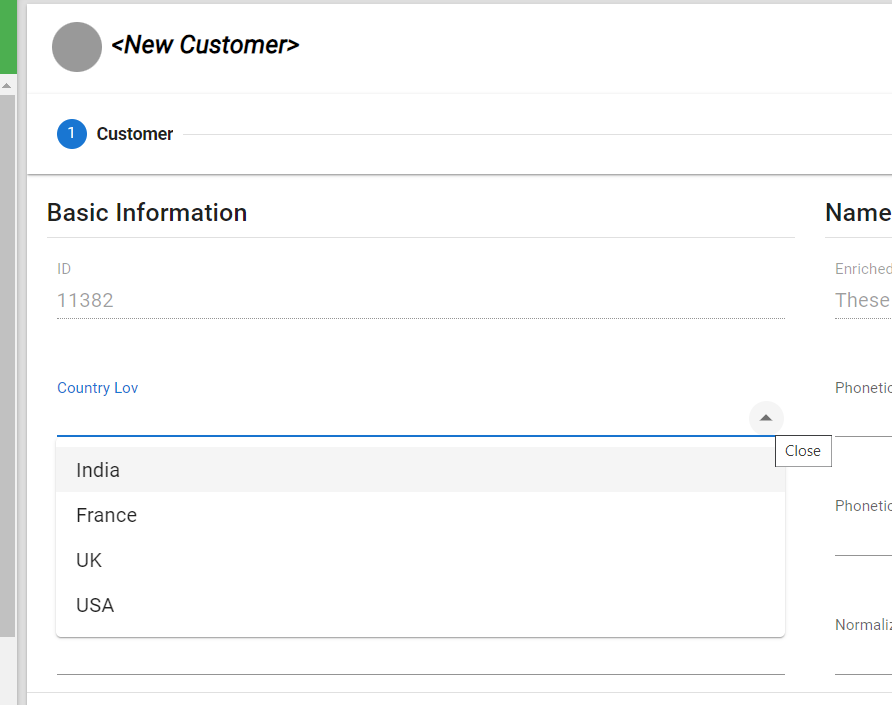
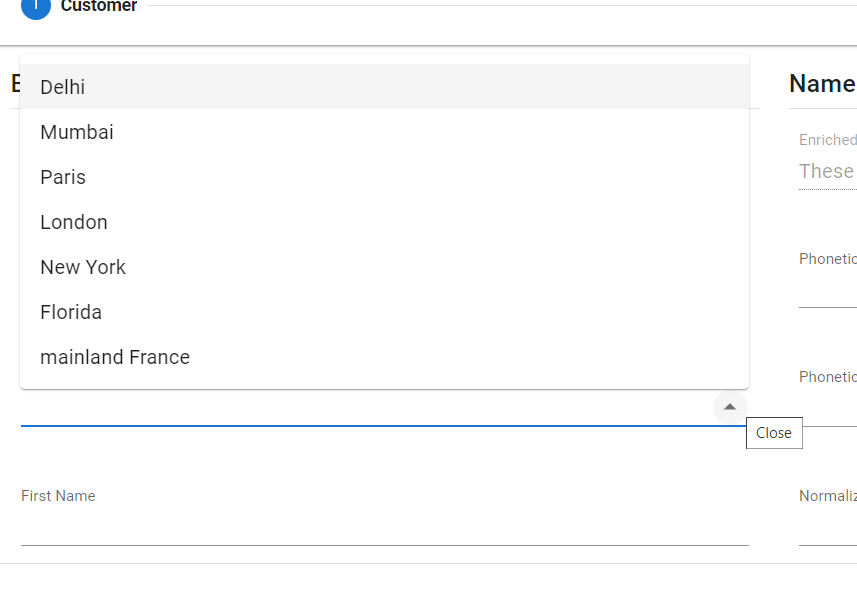
- Check that the Regions list is the one associated to France:
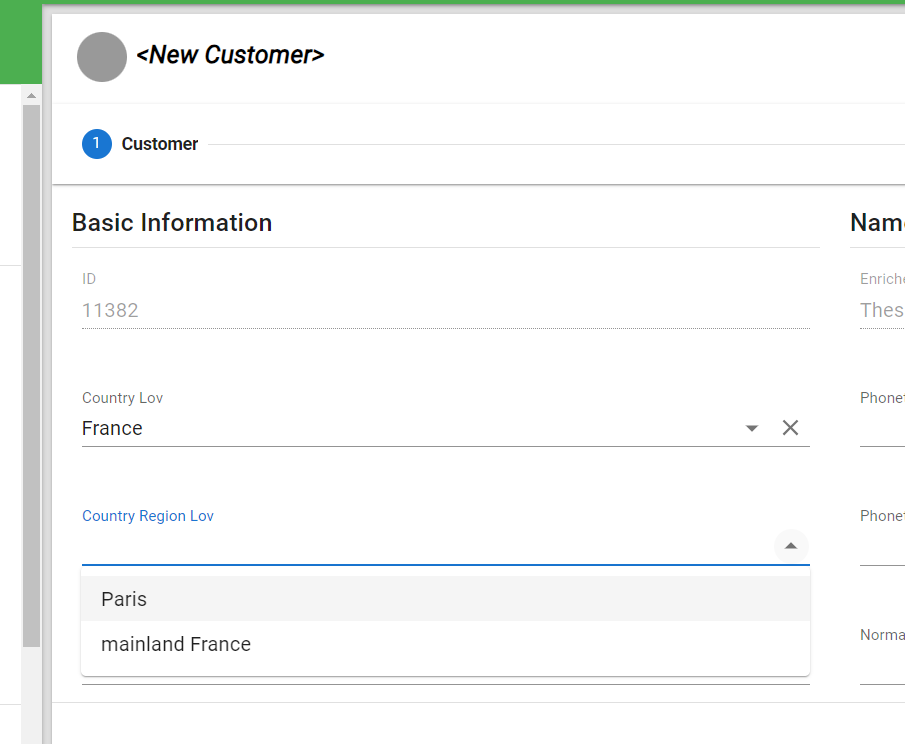
- Now, remove the country and check that without any country, the full list of regions appears: