
Need
In certain business scenarios, users must duplicate a parent record along with all its related child records.
Example (ProductRetailDemo model):
- A Product has one or more related Items.
- When a user clicks Copy on a Product record, they expect:
- A new Product record to be created.
- All linked Item records to be copied automatically.
- The copied Items to reference the newly created Product.
By default, the standard copy action duplicates only the parent record.
Child entities are not automatically copied unless additional logic is implemented.
The objective is therefore to:
- Copy a parent record.
- Automatically copy all related child records.
- Reassign the foreign key to the newly created parent.
- Optionally generate new business identifiers for the copied child records.
Summarized Solution
To copy a parent record together with its children:
- Create a database procedure that:
- Receives the current Load ID, the original parent ID and the newly created parent ID.
- Copies child records accordingly.
- Declare this procedure in the xDM model.
- Call the procedure from a Stepper Collection Step using the event: Copy Child (each).
- Ensure the parent entity uses Sequence-based ID generation, so a new ID is available during the copy process.
This ensures that when the user clicks Copy on the parent record, the related child records are automatically duplicated.
Detailed Solution
1. Create the database procedure
Create a stored procedure in the database responsible for copying the child records.
PostgreSQL example:
CREATE OR REPLACE PROCEDURE semarchy_product_retail_mdm.copyproc(
    v_currentLoadId IN numeric(38),
    v_copied_from   IN numeric(38),
    v_id            IN numeric(38)
)
LANGUAGE plpgsql
AS $procedure$

BEGIN

INSERT INTO sa_item (
    B_LOADID,
    B_CLASSNAME,
    B_CREDATE,
    B_CREATOR,
    upc,
    f_product,
    color,
    color_description,
    f_item_size
)

SELECT
    v_currentLoadId,
    'Item',
    current_date,
    'semadmin',
    concat(upc,'c'),     -- Example: generate new business key
    v_id,                -- New parent ID
    color,
    color_description,
    f_item_size
FROM GD_item X
WHERE X.f_product = v_copied_from;

END;
$procedure$;
Explanation of parameters:
- v_currentLoadId: the load ID of the current transaction.
- v_copied_from: the ID of the original parent record being copied.
- v_id: the ID of the newly created parent record.
What the procedure does:
- Retrieves all existing golden (GD_) child records linked to the original parent.
- Inserts new records into the source (SA_) table.
- Assigns the new load ID and the newly created parent ID (v_id) as foreign key.
- Generates a new business identifier (in this example, UPC concatenated with 'c').
You may adapt the identifier generation logic depending on your business constraints.
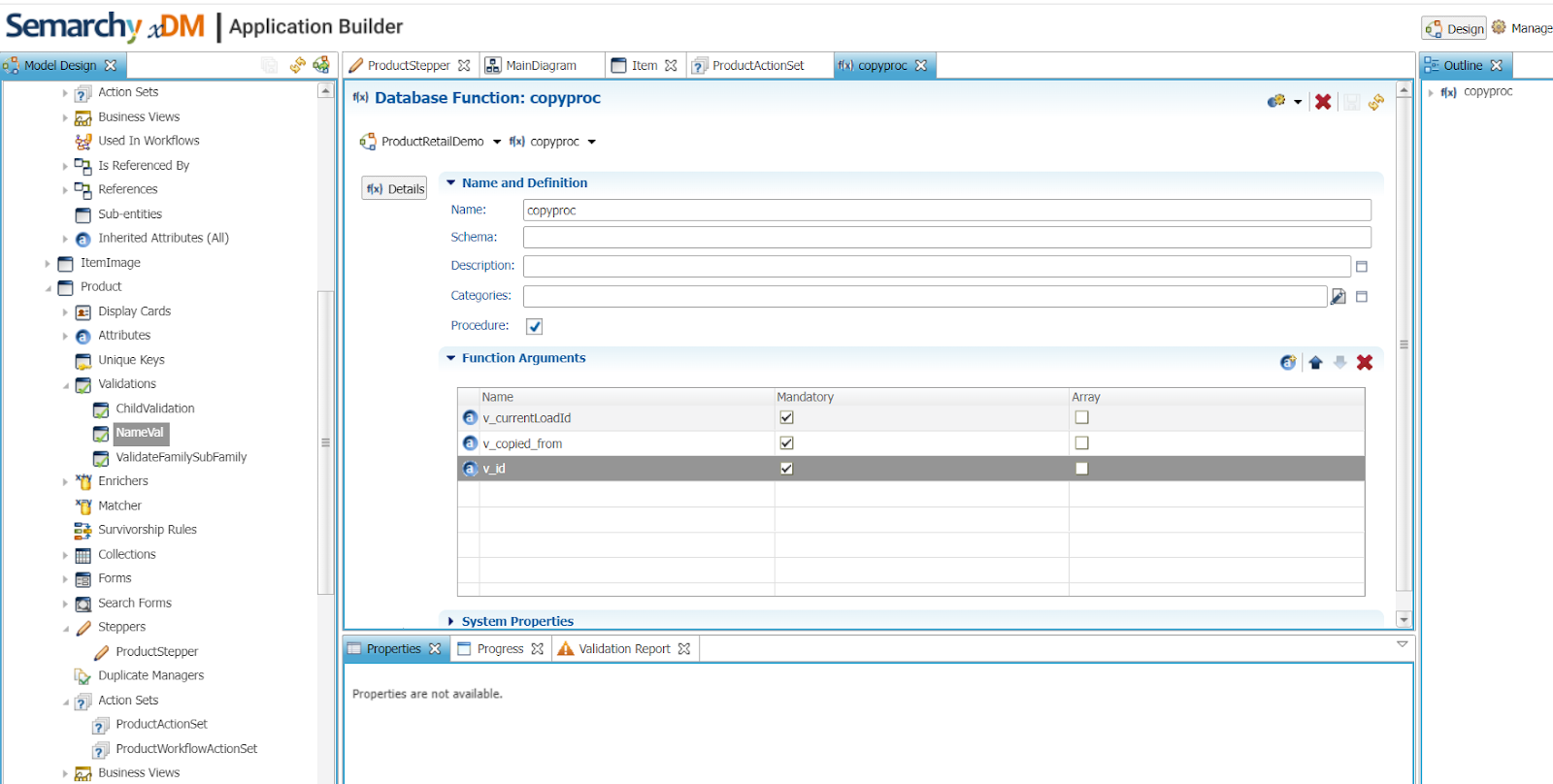
2. Declare the database procedure in the model
In the Application Builder:
- Go to Database Functions / Procedures.
- Declare the procedure using the same name: copyproc.
- Ensure the parameters match the database definition.
3. Call the procedure in the stepper
In the parent entity stepper, add a Collection Step with the following configuration:
- Event: Copy Child (each)
- Procedure Name: copyproc
- Arguments: Current Load ID, Copied From ID and New Parent ID (these are automatically available in the stepper context).
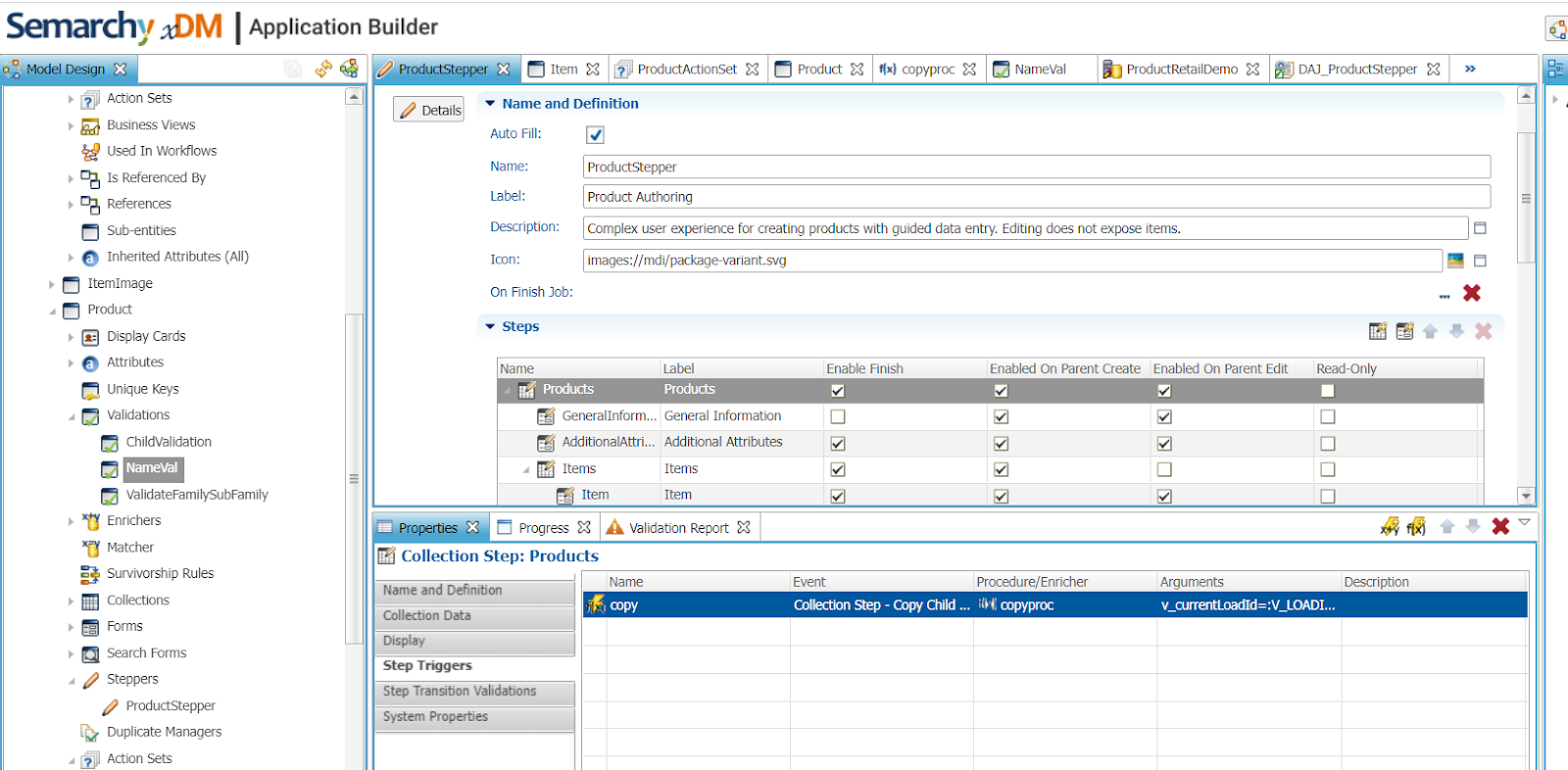
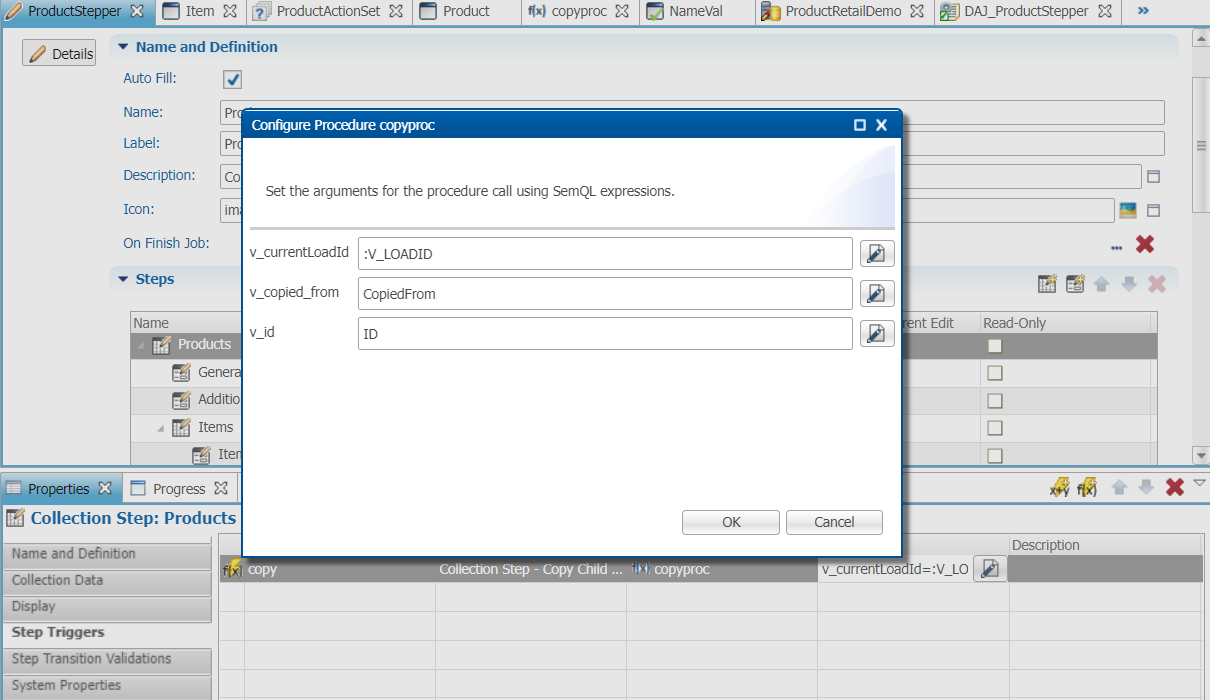
This ensures that after the parent record is duplicated, the procedure is triggered and all related child records are copied automatically.
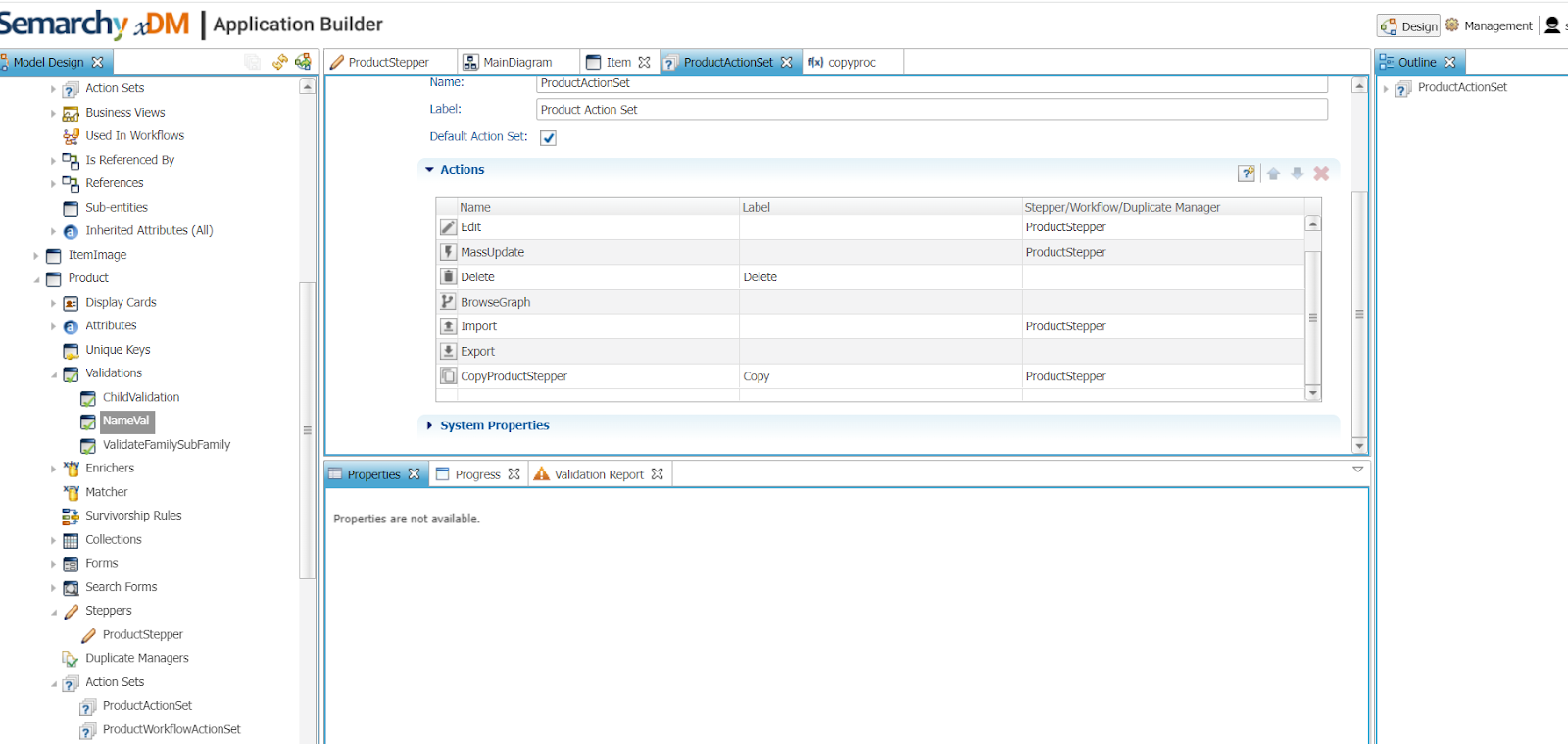
4. Configure the copy action on the parent entity
In the Parent Entity (e.g., Product):
- Add a Copy Action to the Action Set.
- Ensure ID generation strategy = Sequence.
Why sequence is required:
The new parent ID must be generated immediately so it can be passed to the procedure and assigned to the copied child records.
If ID generation is not sequence-based, the new ID may not be available at the time the procedure runs.
5. Result example
Original Product:
Product: Bambina Boots
Linked Items: UPC 12345 and 67890.
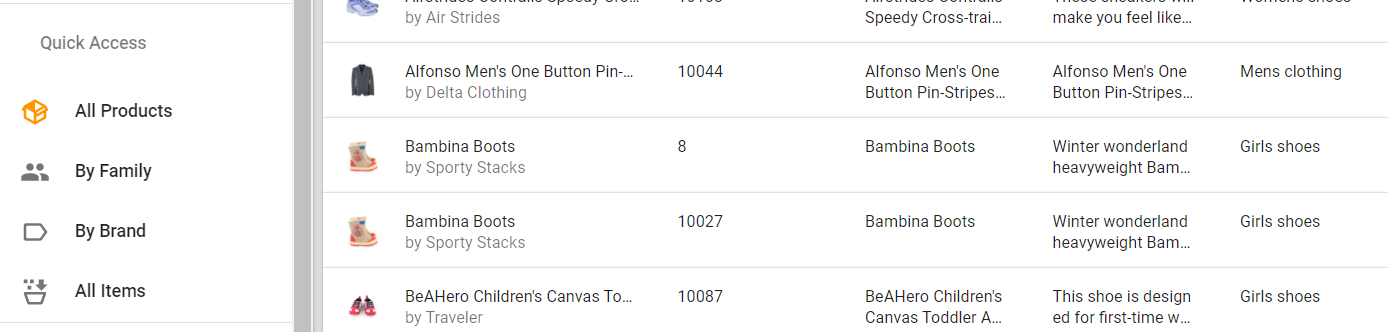
After clicking Copy:
The new product is created.
As well as, automatically, the new item:
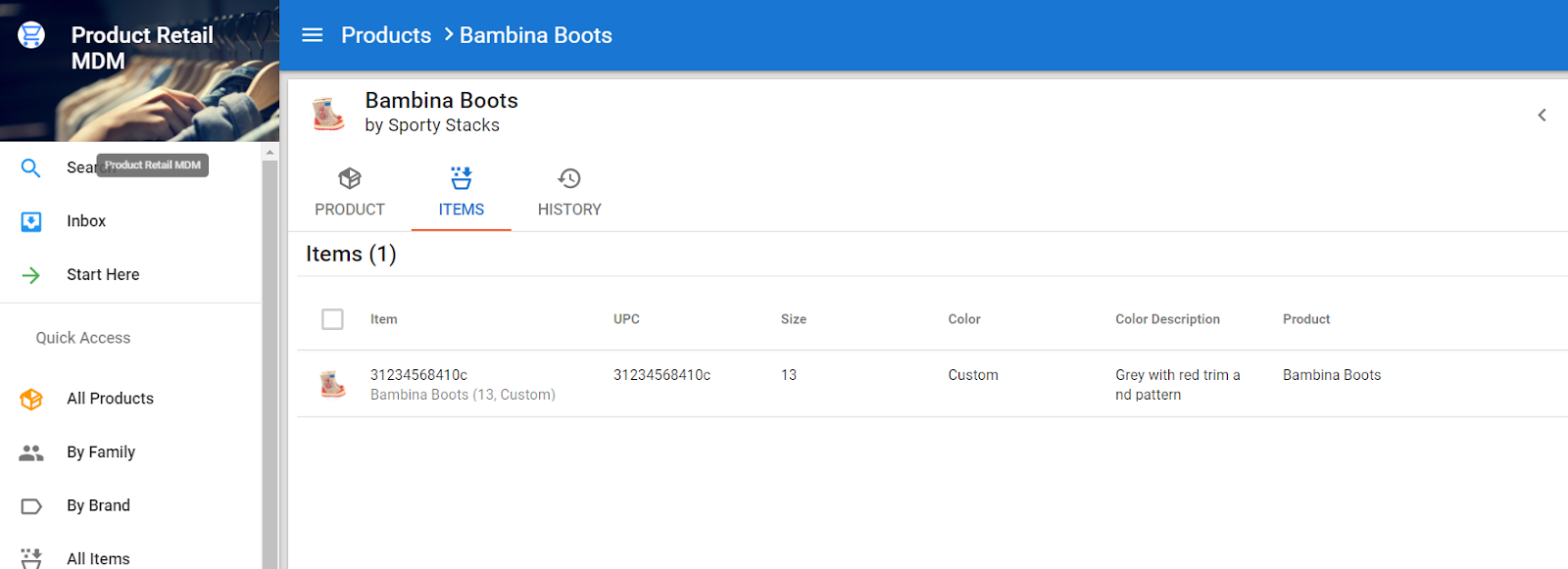
The copy process is fully transparent to the user.
Important considerations
- Ensure business keys remain unique.
- Adjust identifier generation logic as required.
- Consider copying only golden records (GD_) unless another layer is required.
- For multi-level hierarchies (child of child), additional procedures may be necessary.
- Validate performance for large child volumes.