
Need
During xDM application development, it is often necessary to test Data Notifications configured to send REST calls to external systems.
However, in development environments:
- The target system may not yet exist.
- The API endpoint may not be available.
- Developers may want to inspect the exact payload being sent.
- Troubleshooting requires visibility into request headers and body.
To safely test REST Data Notifications without relying on a real external system, you can use Postman Mock Server as a temporary endpoint.
This allows you to:
- Capture and inspect REST calls sent by xDM.
- Validate payload structure.
- Verify authentication headers.
- Test without impacting real systems.
Summarized Solution
To test REST Data Notifications using Postman:
- Install and log in to Postman.
- Create a Mock Server in Postman.
- Configure a POST endpoint.
- Copy the generated Mock URL.
- Paste the URL into the REST Request URL field of the xDM Data Notification.
- Execute the notification and inspect the request inside Postman.
This provides a controlled testing environment for outbound REST calls.
Detailed Solution
1. Pre-requisites
- Download Postman: https://www.postman.com/downloads/
- Install the Postman client.
- Create an account or sign in.
A Postman account is required to create and manage Mock Servers.
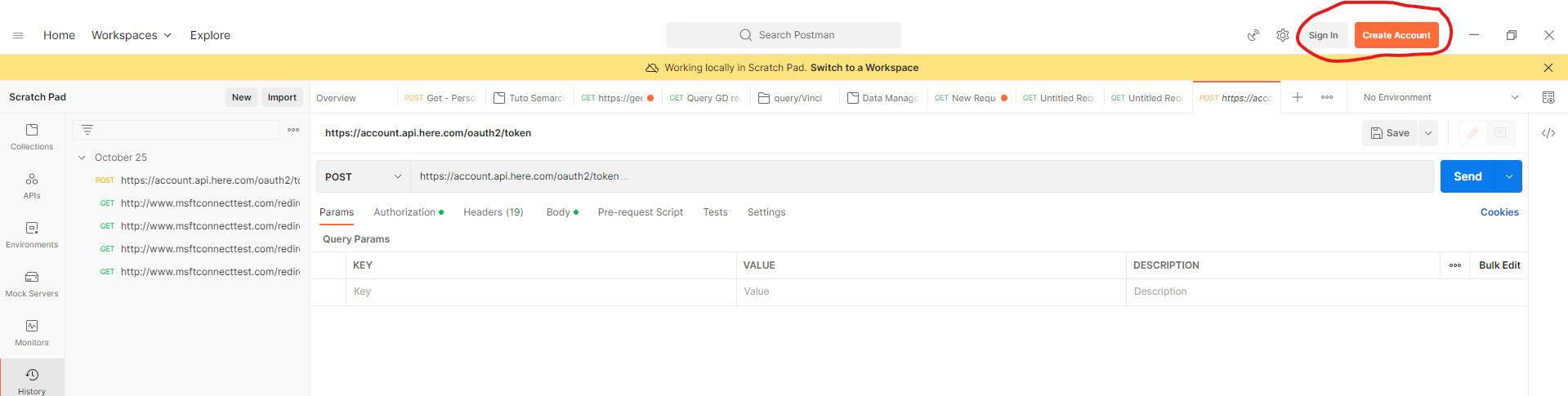
2. Create a Mock Server in Postman
Step 1 - Select Workspace
- Open Postman.
- Select your default workspace (or create a dedicated workspace for xDM testing).
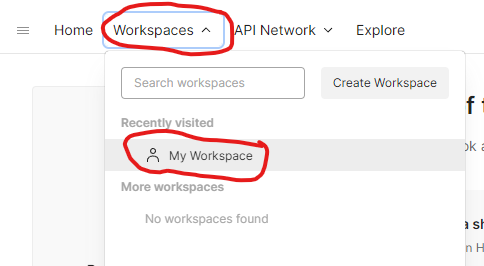
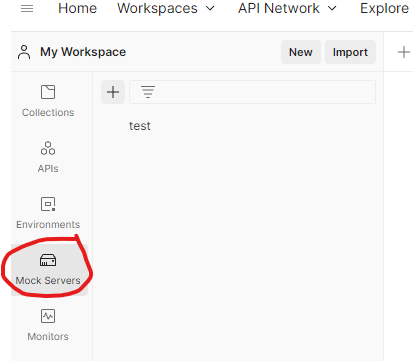
Step 2 - Navigate to Mock Servers
- In the left navigation panel, click Mock Servers.
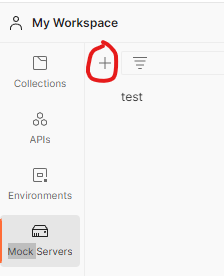
- Click the + (Create Mock Server) button.
Step 3 - Configure the Mock Endpoint
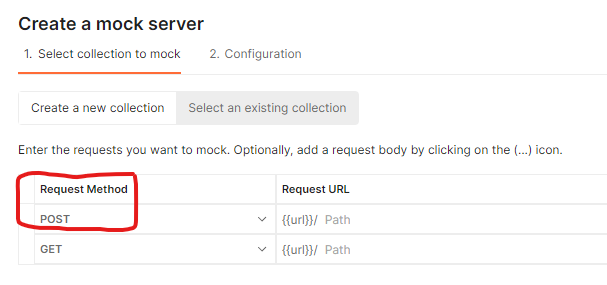
- Choose Create a new collection.
- Select the request method: POST (Data Notifications typically use POST for REST payloads).
- Enter the mock server name:
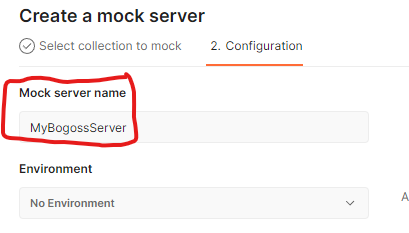
- Leave other values as default unless specific customization is required.
- Click Next.
3. Retrieve the Mock Server URL
Once the mock server is created:
- Postman generates a unique URL:
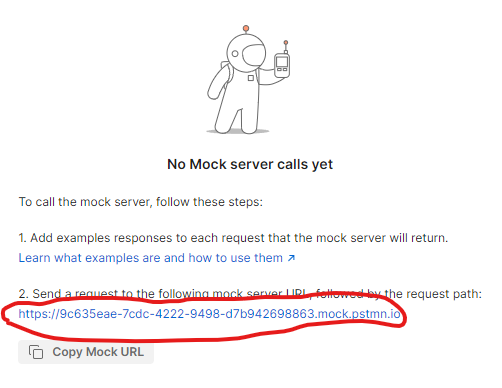
- Click Copy Mock URL.
Example: https://xxxx.mock.pstmn.io
This URL will act as the receiving endpoint for your xDM Data Notification.
4. Configure xDM Data Notification
In the Application Builder:
- Open your Data Notification configuration.
- Locate the field REST Request URL: paste the Postman Mock URL.
- Save.
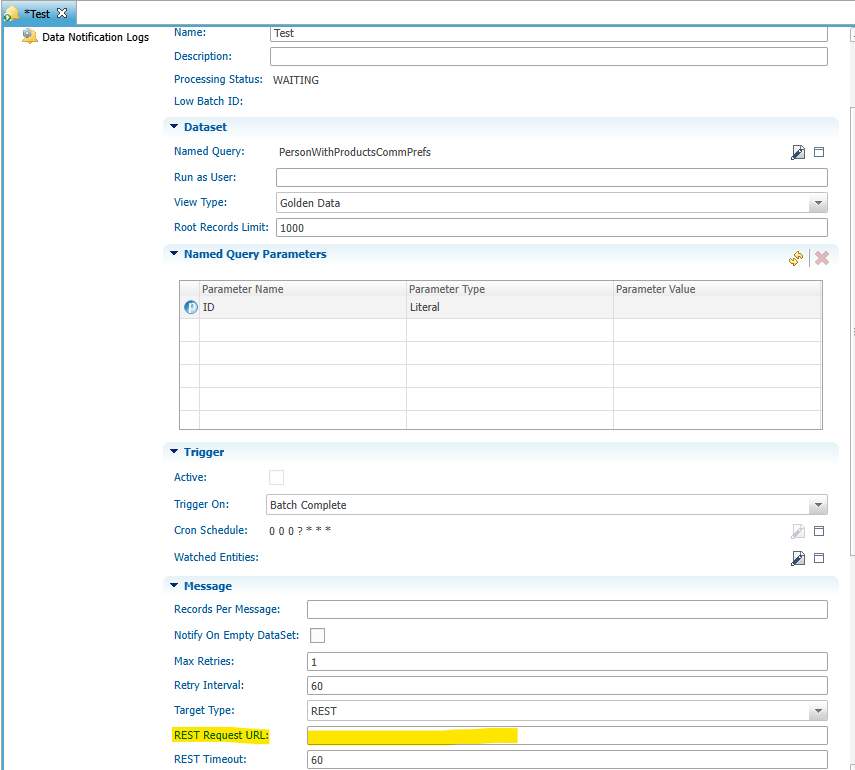
From this point onward, every time the Data Notification is triggered, xDM will send the REST payload to the Postman Mock Server.
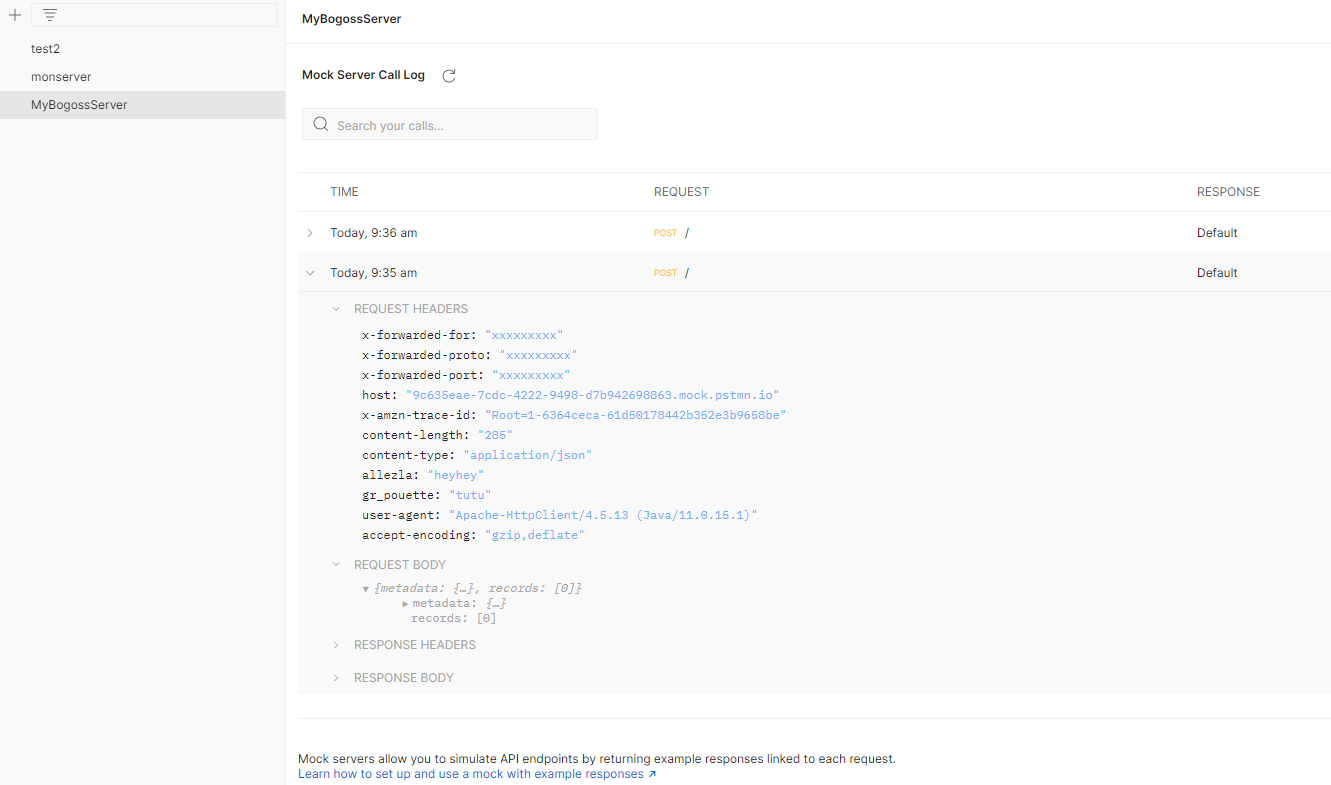
5. Execute and Inspect the Notification
Trigger the Data Notification (for example, by creating or updating a record).
In Postman:
- Open the Mock Server.
- Navigate to the request history.
- Inspect:
- Request body (JSON payload).
- HTTP headers.
- Authentication headers.
- Timestamp.
- Method (POST).
- This allows you to validate:
- Payload structure.
- Field values.
- Encoding.
- Authentication configuration.
- Whether the notification is properly triggered.