
Need
In some use cases, you may have two entities that:
- Have similar or identical attributes.
- Do not have any relationship defined between them.
- Must remain technically independent in the model.
Example:
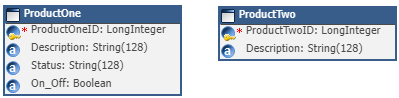 There is no foreign key or relationship between them.
However, the business requirement is: when a Product is created in ProductOne (P1), a corresponding Product must automatically be created in ProductTwo (P2).
Since there is no model relationship between the two entities, this synchronization cannot be handled through standard entity relationships or cascade logic.
Summarized Solution
To synchronize the creation of ProductTwo when ProductOne is created:
- Expose ProductTwo through a REST Continuous Load.
- Create a REST Client.
- Trigger the REST Client from a REST Enricher when ProductOne is persisted.
- Call the ProductTwo REST endpoint using a POST request.
- Pass ProductOne attributes dynamically in the request body.
This approach uses the xDM REST API internally to create ProductTwo records programmatically.
Detailed Solution
Overview of the architecture
- User creates a Product in ProductOne.
- A REST Enricher is triggered.
- The REST Client calls the internal xDM REST API.
- The API creates a ProductTwo record through a Continuous Load.
- ProductTwo is persisted automatically.
Step 1 - Create the entities and application components
- Create two entities:
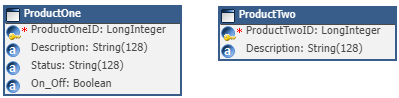 Both entities may share attributes (e.g., Description), but:
- Do not define any relationship between them.
- Keep them fully independent in the model.
- Create their application components.
- Set your ProductOne Form as mentioned below:

Step 2 - Create a job for ProductTwo
Create a Job that includes a task for ProductTwo.
This job will be used by the Continuous Load and REST API to persist ProductTwo records.
Step 3 - Deploy the model
Deploy your model so that:
- REST API endpoints are generated.
- The job becomes available through the REST layer.
Step 4 - Create a continuous load
Create a continuous load that uses the job containing ProductTwo.
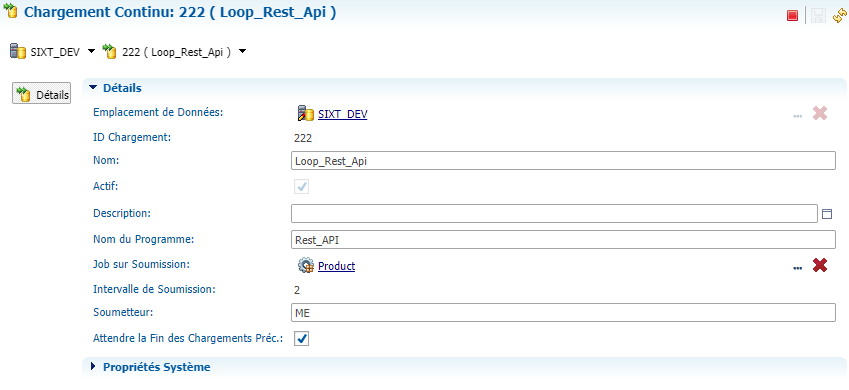
After creation, note the:
- Data Location Name
- Continuous Load ID
These will be required in the REST call URL.
Step 5 - Create an API key
To authenticate REST calls:
- Generate an API key.
- Store it securely.
This key will be used in the REST Client header.
Step 6 - Create the REST client
Configure a REST client with the following parameters:
| Method | POST |
| URL | http://<hostname>:<port>/semarchy/api/rest/loads/<DataLocationName>/<Continuous Load ID |
| Header | API-Key *************************************** |
| Format | JSON |
| Body | { "action": "PERSIST_DATA", "persistOptions": { "defaultPublisherId": "ME", "optionsPerEntity": { "ProductTwo": { "enrichers": [], "validations": "JOB_PRE_CONSO" } }, "missingIdBehavior": "GENERATE", "persistMode": "IF_NO_ERROR_OR_MATCH" }, "persistRecords": { "ProductTwo": [ { "Description": ${Description} } ] } } |
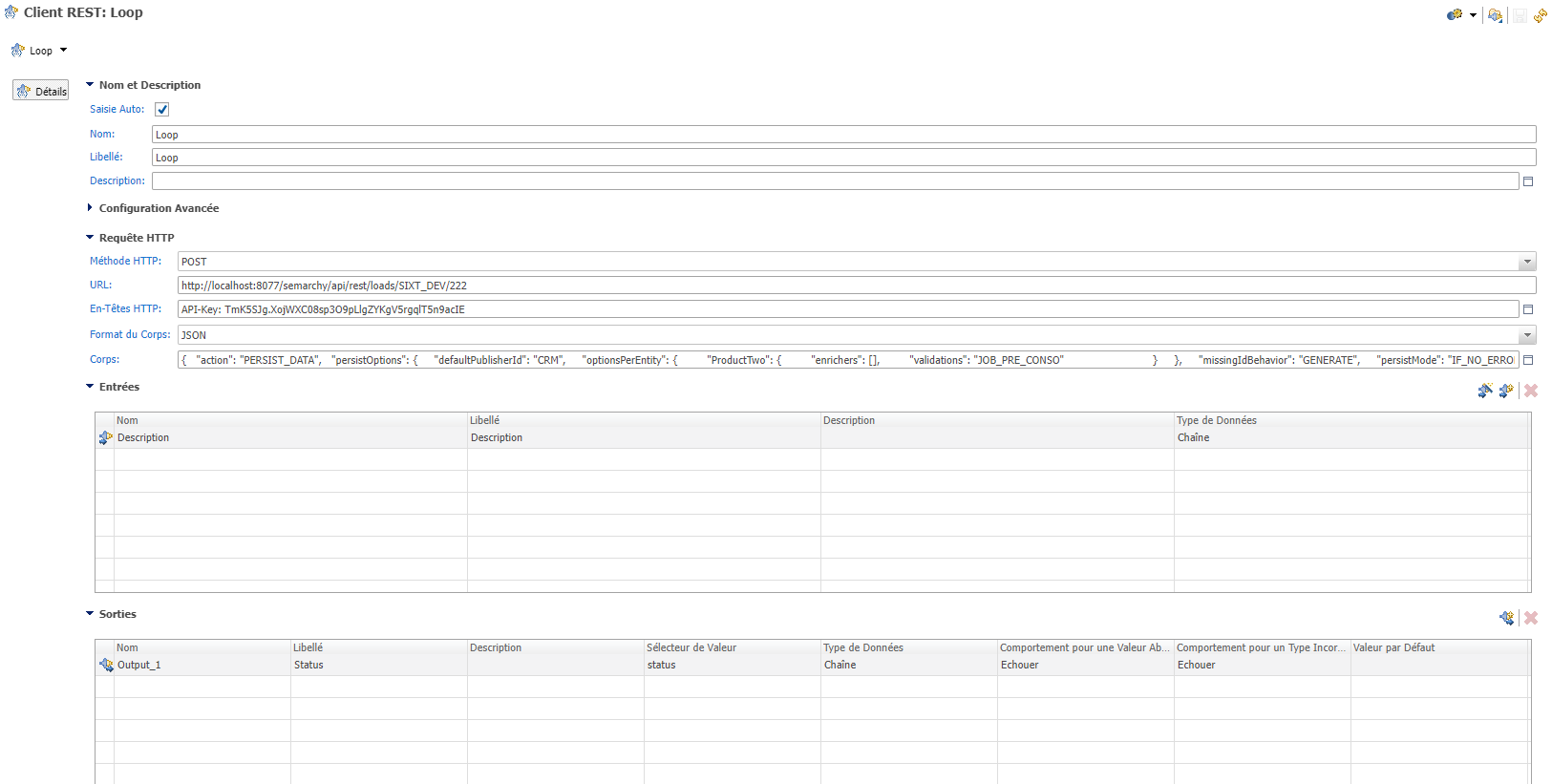
Step 8 - Trigger the REST client via REST enricher
Create a REST enricher on ProductOne:
- Triggered during persist.
- Calling the REST client.
- Executed when the record is created (or optionally based on a condition).
You may also use a boolean flag (e.g., On_Off) to control when synchronization occurs.
Step 9 - Validate and deploy
Validate and deploy the model.
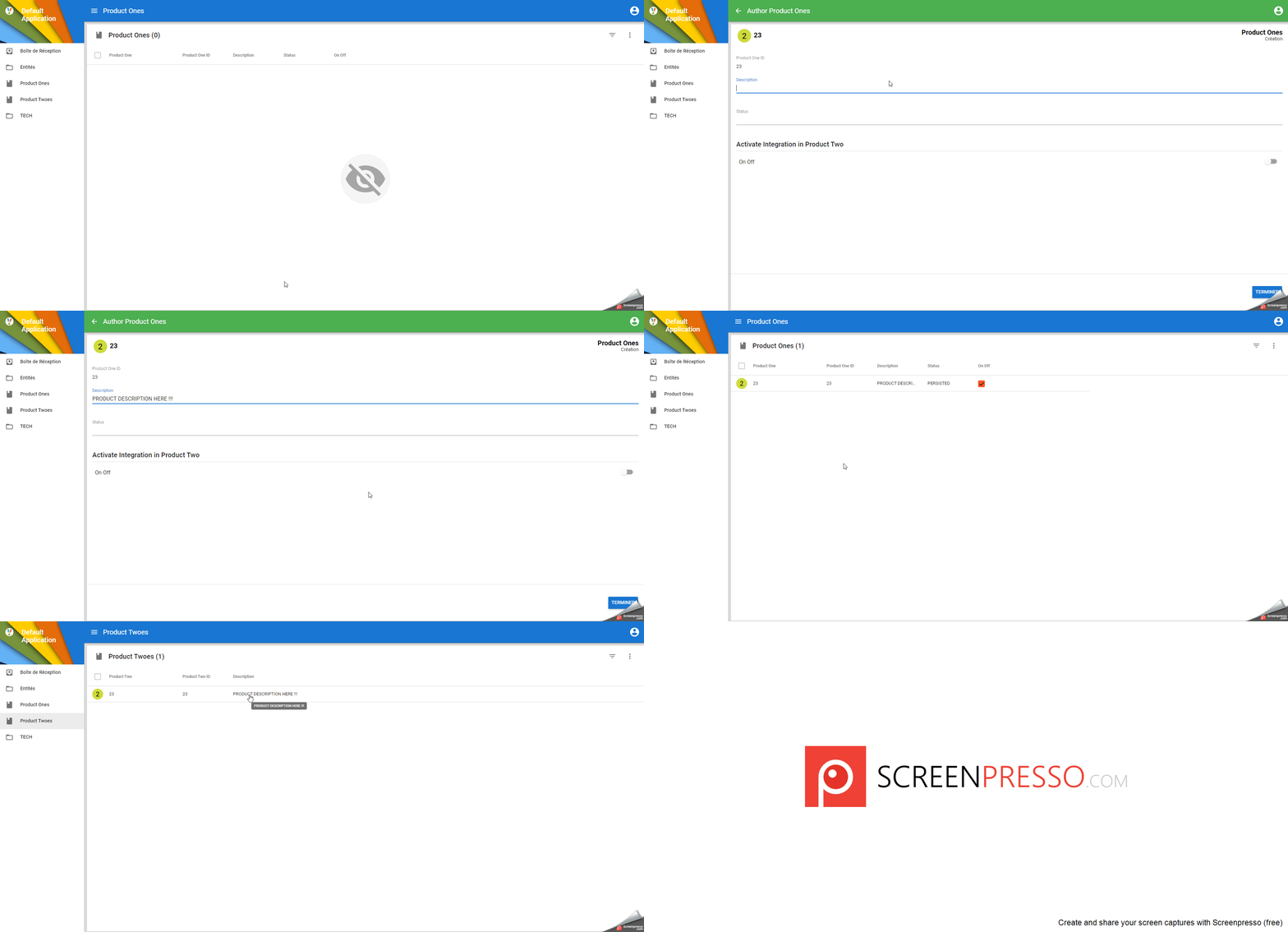
Step 10 - Test the integration
- Open the application.
- Navigate to ProductOne.
- Create a new record.
- Trigger the synchronization (e.g., via On_Off button if configured).
- Confirm that:
- ProductOne is persisted.
- A corresponding ProductTwo record is automatically created.
- You should see ProductTwo in persisted status.
Important Considerations
- This approach creates loose coupling between entities.
- Ensure proper error handling in the REST response.
- Avoid infinite loops (do not trigger reciprocal calls).
- Monitor performance if high volumes are expected.
- Ensure API key security.